How to Start a Personalised Gift Business Online (Mugs, Tees)
How to Start a Personalised Gift Business Online (Mugs, Tees)
A mug that says "World's Okayest Brother" costs a few dollars to make and can sell for several times that, because it is about one person. If you want to learn how to start a personalised gift business online, the good news is that the products are simple: custom mugs, T-shirts and hoodies with a name, a date, a short message or a photo.
The hard parts are the ones nobody sees: getting the design right before it is printed, promising delivery dates you can keep, and bringing buyers back for the next birthday. This guide covers all of them, then shows a ready-made store you can launch on.
How to Start a Personalised Gift Business Online: The Short Version
- Pick three products and one or two niches. A mug, a T-shirt and a hoodie cover most gifting moments.
- Decide who prints: a print-on-demand partner, your own equipment or a local print shop.
- Write your proof and approval rules before the first order.
- Set honest turnaround times and cut-off dates for each big occasion.
- Add ready-made gifts for shoppers who don't want to design anything.
- Build the store and launch a few weeks before an occasion.
Choose Your Products and Your Niche
Start with blanks that print well and that people already buy as gifts. One design can move across all three of these:
| Product | Why it sells | Watch out for |
|---|---|---|
| Mugs | Low price, easy to post, a safe gift for almost anyone | Breakage in transit, wrap designs that hit the handle |
| T-shirts | Family events, birthdays, couples, team gifts | Sizes and returns, colour of ink on dark fabric |
| Hoodies | Higher price, a "proper" present for teens and partners | Higher blank cost, so reprints hurt more |
A niche makes marketing far easier than "gifts for everyone". Good starting points:
- Pet owners: the pet's name and photo on a mug or hoodie.
- New parents and grandparents: family names, birth dates, "Grandma" mugs.
- Couples: Mr and Mrs sets, anniversary dates.
- Teachers, coaches and small teams: thank-you gifts and matching tees, often ordered in groups.
Pick the niche you can already reach, such as a dog-walking group or a school community.
Print-on-Demand or Print It Yourself?
This is the biggest decision in a personalised gift business, and it changes your costs, margins and delivery promises.
| Print-on-demand partner | Print it yourself | |
|---|---|---|
| Startup cost | Low: no equipment or stock | Heat press, sublimation printer, blanks |
| Cost per item | Higher | Lower once you have volume |
| Quality control | You see the result only in samples and reviews | You check every item before it ships |
| Turnaround | Set by the partner's queue | Set by you, and your evenings |
| Best for | Testing ideas, wide product range | Proven bestsellers, local delivery, premium finishes |
Many shops do both: test designs with a print-on-demand partner, then bring bestsellers in-house once the numbers justify a heat press. A local print shop is a useful middle path. Either way, order samples in every colour you plan to sell and wash them a few times before you list them.
Proofs and Approval: Where Personalised Orders Go Wrong
Most problems here are not printing problems. They are a misspelled name, a photo that is too small, or a design cut off at the edge.
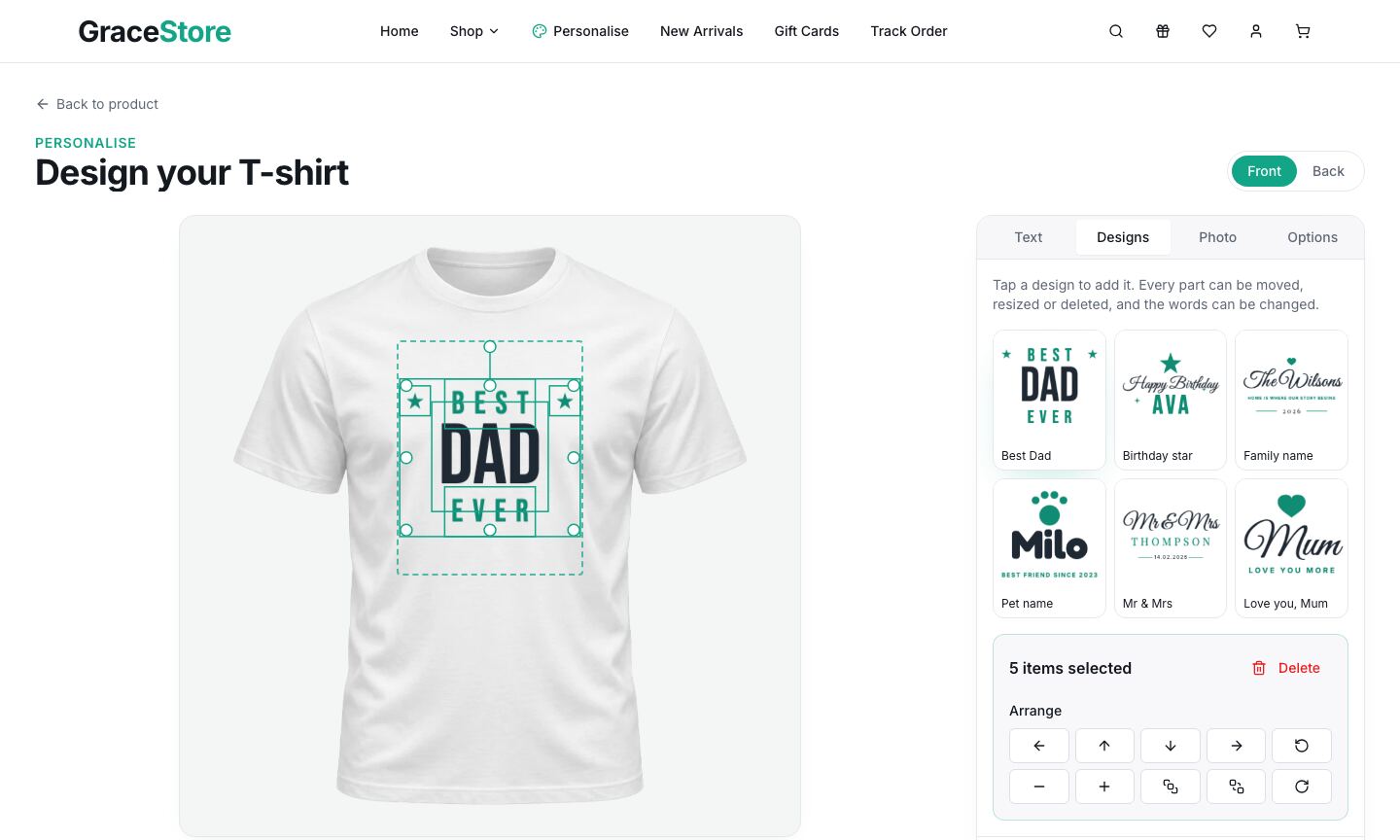
Build these checks into the buying flow:
- A live preview on the product. Shoppers trust what they can see. Show the design on the actual mug or shirt, in the colour they picked.
- A visible print area. Mark the area that can be printed so text never runs off the edge or into the mug handle.
- A spelling reminder right above Add to cart: "Check names, dates and spelling. We print exactly what you see."
- A proof step for complex orders. For photo gifts or anything unusual, email a proof and wait for a reply before printing. For simple name mugs, the live preview can be the proof.
- Photo checks. Ask for the original photo, not a screenshot, and tell people when a photo looks too small to print sharply.
- A clear returns policy. Personalised items usually can't be resold, so many shops only accept returns for faulty or damaged items. Check the rules where you sell, and say it plainly on every personalised product page.
Keep every approved design with the order. If a customer disputes it, the saved design settles it.
Turnaround Times and Shipping
Gift buyers have a deadline. Your promise is production time plus shipping time, and both belong on the product page.
- Production: working days from order to dispatch, set for your busiest week, not your quietest.
- Shipping: standard and express options, with the days each takes.
- Cut-off dates: an "Order by the 5th for Mother's Day" banner sells, and it prevents angry emails.
- Packaging: mugs need real protection. Post a few to yourself before launch.
- Gift options: gift wrap, a gift message and shipping to the recipient turn a product into a present.
For the trade-offs between flat-rate shipping, live rates and outsourcing fulfilment, see Shipping for eCommerce MVPs: Flat Rate vs Live Rates vs 3PL.
Mix Ready-Made Gifts With Personalised Ones
Not every shopper wants to design something. Some arrive two days before a birthday and want a gift that ships today. Ready-made gifts:
- Catch last-minute buyers who can't wait for printing.
- Raise order values as add-ons: a magnet set or car hanger next to a personalised mug.
- Make gift sets possible: a named mug, a ready-made print and a bottle, boxed together.
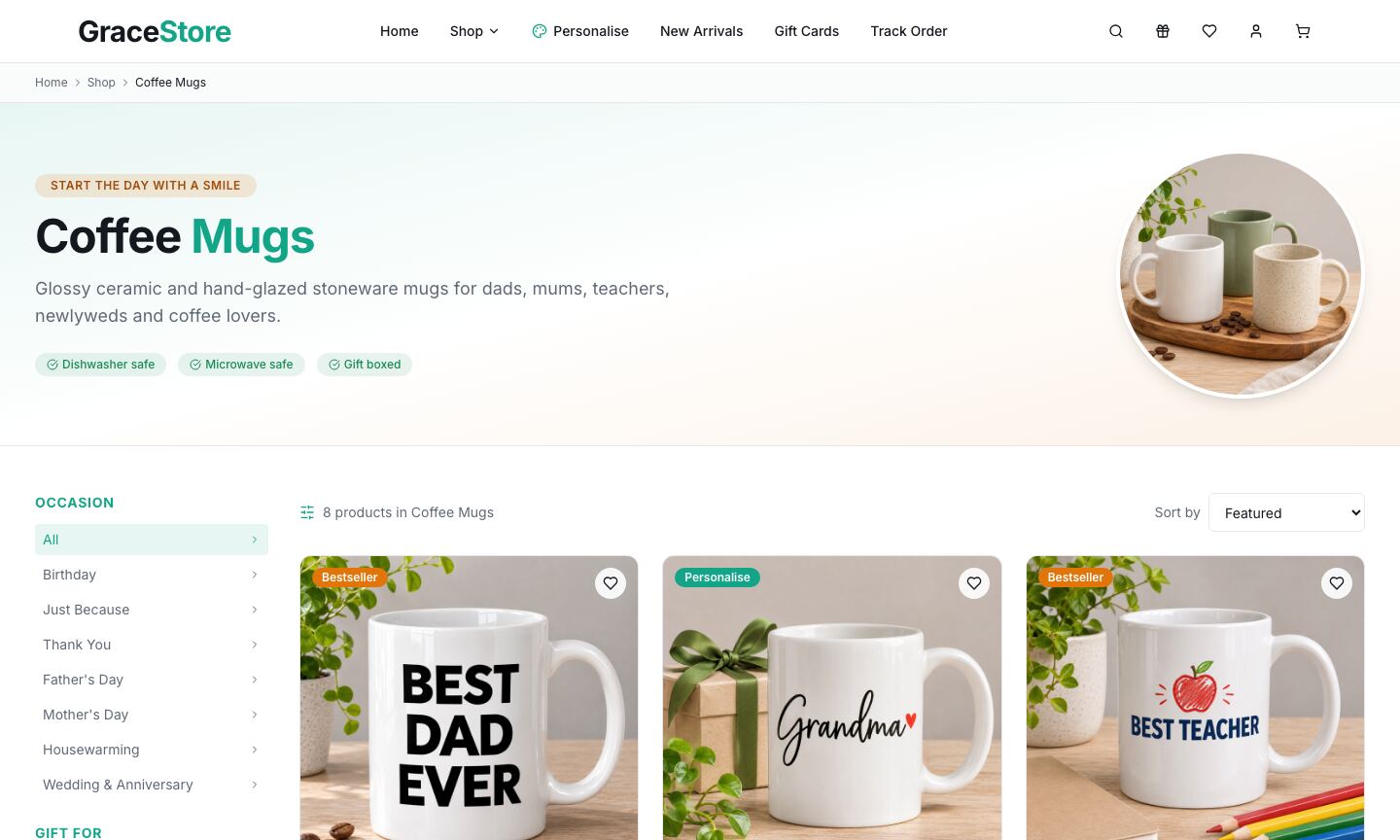
Organise everything by occasion and recipient, not only by product type. "Gifts for Dad" and "Housewarming gifts" are how people actually shop.
Plan Around an Occasions Calendar
A gift shop has peaks, and each one needs preparing weeks ahead. Dates differ by country, so build your own calendar from the occasions your customers celebrate.
| Occasion | What sells | Start promoting |
|---|---|---|
| Valentine's Day | Couple mugs, matching tees | 4 weeks before |
| Mother's Day | Mum and Grandma mugs, photo gifts | 4 to 6 weeks before |
| Father's Day | "Best Dad" tees and mugs, hoodies | 4 to 6 weeks before |
| Graduations and end of term | Teacher thank-you gifts, class tees | 3 to 4 weeks before |
| Wedding season | Mr and Mrs sets, anniversary prints | All season |
| Year-end corporate gifts | Team hoodies, branded mugs | 8 weeks before |
Birthdays, new babies and pets fill the gaps all year. Reminder emails ("Your mum's birthday was in March last year") are one of the best tools a gift shop has.
Pricing a Personalised Gift
Add up the full cost of one item before you pick a price:
- The blank (mug, shirt or hoodie)
- Printing: ink and press time, or the print-on-demand fee
- Packaging and gift wrap
- Shipping, if you offer free delivery over a threshold
- Payment fees
- A reprint allowance for the occasional damaged or misprinted item
Then add a personalisation premium: a gift with a name on it is worth more than the plain product. For example, if a printed mug costs you $8 all in, a price around $25 to $30 leaves room for ads, reprints and free delivery. Your numbers will differ, so test.
SEO and Marketing for a Gift Shop
People search for gifts by person and moment: "personalised mug for grandma", "gifts for dog lovers", "teacher thank-you gifts". Each deserves its own collection page with a short intro, not just a filtered grid.
- Photograph finished examples with realistic sample names, in every colour you sell, and tag each product with occasions and recipients.
- Write a gift guide for each occasion and link it to your collections.
- Post finished orders (with the customer's permission) on social media, and run small ads a few weeks before each occasion.
- Offer team and corporate orders on their own page. A team order puts many items into one sale.
The eCommerce Product Page Checklist covers the rest of a product page that converts.
Launch Faster With the Personalised Gift Store
We built the Personalised Gift Store for this business: a storefront where shoppers design their own T-shirt, mug or hoodie, or pick a ready-made gift, then check out.
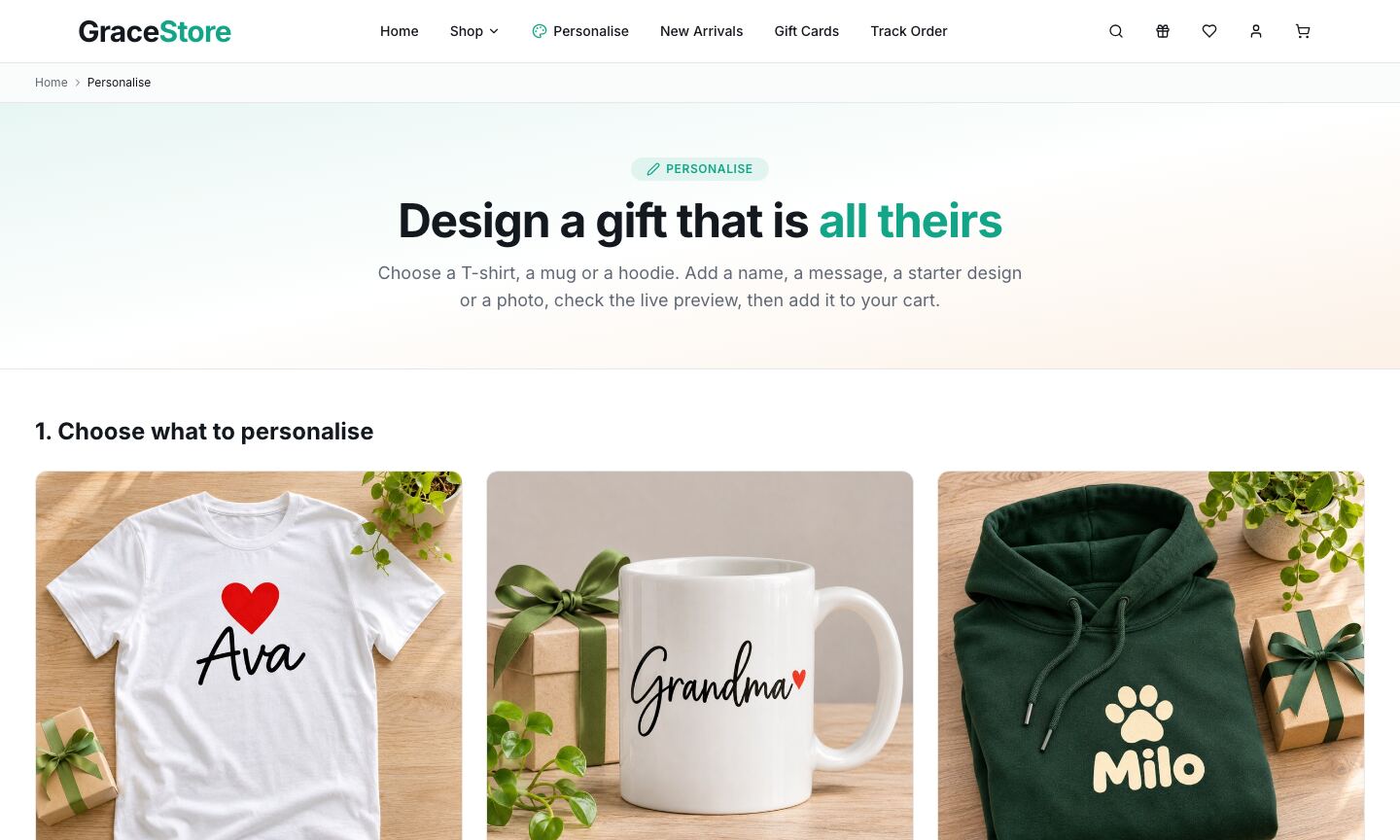
What's inside:
- A design editor for a T-shirt, a mug and a hoodie with text in five fonts, six starter designs (such as Best Dad, Pet name and Mr & Mrs), photo upload, colours and sizes, a front and back for clothing and a full wrap for the mug
- A marked print area and design previews in the cart, at checkout and in order history, with an Edit design link in the cart
- A 49-product demo catalogue: 45 ready-made gifts in eight categories (T-shirts, hoodies, mugs, wall frames, table tops, sipper bottles, fridge magnets and car hangers), a digital gift card and the three personalised products
- Gift-finder browsing with occasion, recipient and size filters, and collections for best sellers, gift sets and gifts under $40
- A gift-ready cart with gift wrapping, a gift message, promo codes, a free-delivery progress bar and add-on suggestions
It runs straight away on its demo catalogue. For real orders, connect the open-source commerce backend it is built for, which you host yourself, with optional Stripe card payments.
Be clear on what you add. Customer photos stay in the shopper's browser, and the editor saves the design plus a small preview with each order. There is no print-file export and no automatic link to a print partner, so before you print real orders you add a step that creates full-size print files and sends them to your printer. The setup guide in the download explains where designs are stored and what to add.
| Stack | Next.js 16, React 19, TypeScript, Tailwind CSS, fabric.js |
| Live demo | grace-store.mvp.sale (try the Personalise page and add a design to the cart) |
| Price | $39, one-time, with the full source code |
| Get it | Personalised Gift Store |
Mobile app and other framework versions are available on request.
Your First 30 Days
| Week | Do this |
|---|---|
| 1 | Pick your niche and three products. Order samples from your printer and test them. |
| 2 | Write your proof, returns and turnaround rules. Rebrand the store and load 20 to 40 products, personalised and ready-made. |
| 3 | Photograph finished examples, connect payments and go live. Share with friends, local groups and your niche community. |
| 4 | Plan the next occasion on your calendar, set its cut-off date and start a gift guide for it. |
FAQ
How do I stop spelling mistakes? Use a live preview, a spelling reminder before Add to cart, and a proof email for complex orders.
Does the Personalised Gift Store send orders to a printer automatically? No. It saves each design with the order. You add the step that creates print files and sends them to your printer.
Make Your First Gift
A personalised gift business rewards care: clear previews, honest delivery dates and a calendar planned ahead. Start small and print well.
See the Personalised Gift Store or browse all ecommerce apps on MVPHub.
The cover image was created with AI image generation. The screenshots are from the Personalised Gift Store demo.