Online Booking System for Salons: How to Start a Platform
Online Booking System for Salons: How to Start a Platform
Plenty of salons still spend hours each week on phone calls, text messages and paper appointment books. Clients want to book at 11pm from the sofa, and owners want fewer gaps and fewer no-shows. An online booking system for salons solves both, and it's also a solid business to build: once one salon trusts your system, the salon down the road needs exactly the same thing.
This guide covers what a salon booking system has to get right, how to handle deposits, no-shows and reminders, and how to start a booking platform for local services that serves many businesses at once and charges them for it.
One Salon or a Platform for Many?
Before anything else, decide which of these you are building:
| Booking site for one business | Booking platform for many businesses | |
|---|---|---|
| Who it's for | Your own salon, or one client | Many salons, spas, clinics and studios |
| How you earn | Saves your own time, or a one-off build fee | Monthly fees from every business on the platform |
| Each business gets | One site | Its own branded booking site, admin and data |
| Effort | Low | Higher: sign-up, branding, domains, a console to run it all |
| Best for | Salon owners and freelancers | Founders building a booking SaaS |
If you own a salon, a single booking site is enough. If you want to build a business that grows with every salon you sign up, you want a multi-tenant platform: one app, many businesses, each one kept separate. The architecture choices behind that, such as one database per business, custom domains and host-based routing, are covered in our Multi-Tenant SaaS Template Guide.
What an Online Booking System for Salons Must Handle
A salon calendar is more complicated than it looks. Your system has to model the real business, or clients will book times that don't work.
Services
- Name, price and duration for each service.
- Buffer time before and after (cleaning down, colour processing, a short break).
- Which staff can perform which service.
Staff
- Each person's own working hours and days off.
- Blocked time for one person (training, a long lunch) or the whole business (a holiday).
- Clients choosing a favourite stylist, or "any available".
Booking rules
- Opening hours for the business.
- Slot interval, for example every 15 or 30 minutes.
- Minimum notice, so nobody books a cut that starts in ten minutes.
- How far ahead people can book.
Get these right and the calendar fills itself. Get them wrong and the front desk spends its day fixing double bookings.
Deposits, Cancellations and No-Shows
No-shows hurt appointment businesses because an empty chair can't be sold again. A booking system gives owners three tools:
| Option | How it works | Good for |
|---|---|---|
| No payment | Book now, pay in the salon | Quick services and loyal regulars |
| Deposit | A fixed amount or a percentage paid at booking | Long or expensive services, new clients |
| Full payment | The whole price paid at booking | Packages, events and classes |
Pair the payment rule with a clear cancellation policy shown before the client confirms: how much notice they need to give, and what happens to their deposit if they don't. Record no-shows against the appointment so owners can see who keeps missing bookings. Rules on deposits, refunds and cancellation fees vary, so check the rules where you operate.
Reminders That Cut No-Shows
The cheapest no-show fix is a reminder. A good routine:
- A confirmation straight after booking, with the date, time, address and cancellation policy.
- A reminder the day before, with an easy way to reschedule.
- Text messages for reminders, since people read them quickly. Make sure clients agree to receive them.
Keep reminders short and useful. A client who cancels the day before is much better than one who simply doesn't turn up.
How to Start a Booking Platform for Local Services
1. Start with one vertical. Salons, then nail bars and brow studios, then spas and clinics. The same platform can serve all of them, but your marketing, demo data and photos should speak to one type of business at first.
2. Make sign-up self-service. A business owner should be able to enter their business name, type, time zone and currency and get a working booking site straight away, on a subdomain of your platform.
3. Let each business look like itself. Its own logo, colours and fonts, and later its own domain. Owners share their booking link everywhere, so it has to look like their brand, not yours.
4. Set up the first ten businesses yourself. Enter their services, staff and hours with them. You'll learn what confuses owners, and they'll stay because it worked from day one.
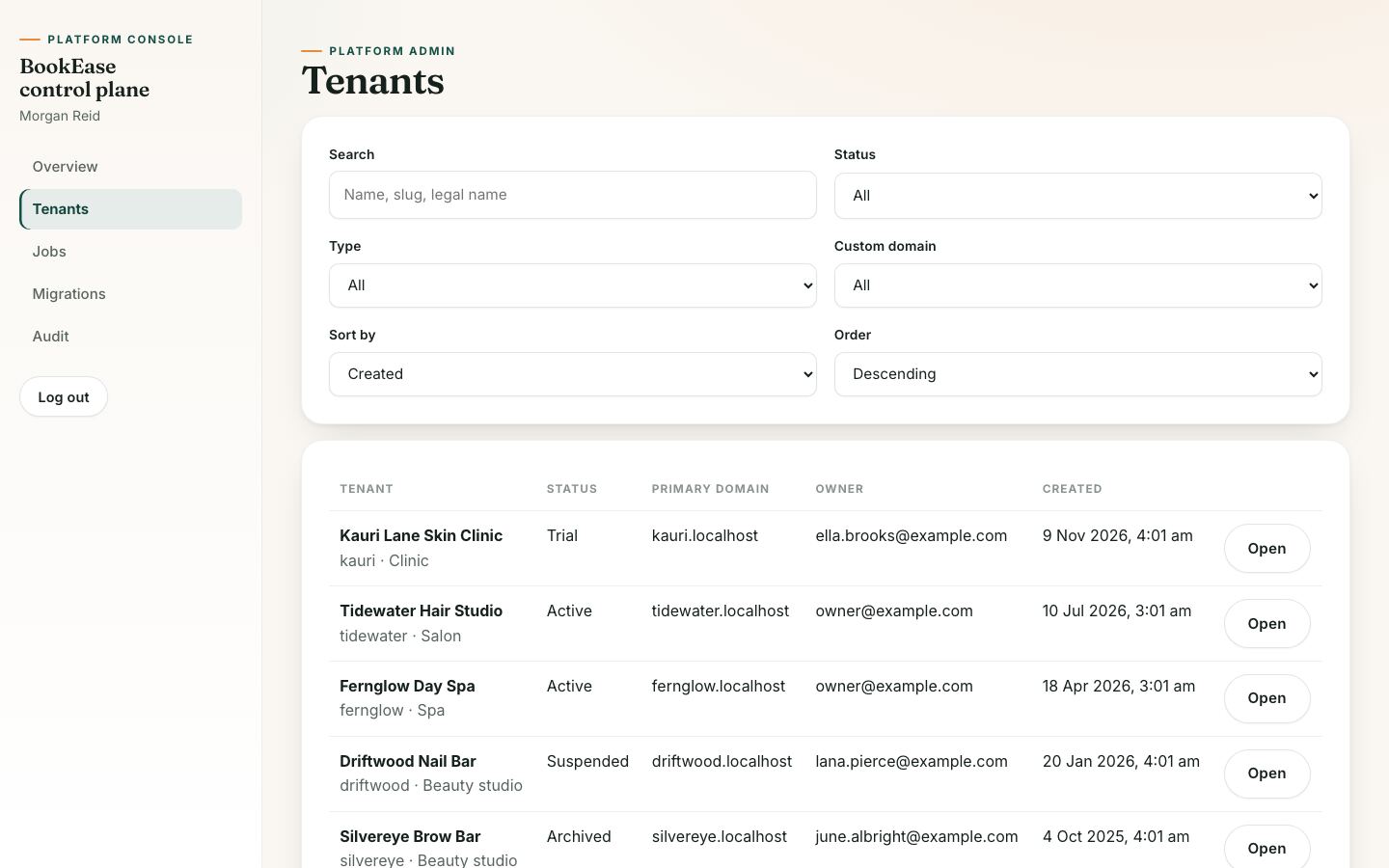
5. Give yourself a control room. You need to see every business on the platform, track trials, suspend those that stop paying and spot failing background jobs before customers do.
Pricing Your Platform for Businesses
Salon owners compare you with what they pay today, which is often nothing but time. Keep pricing simple:
| Model | How it works | Watch out for |
|---|---|---|
| Flat monthly fee per location | One price, unlimited bookings | Large salons pay the same as tiny ones |
| Per staff member | Price grows with team size | Owners may share logins to save money |
| Per booking fee | A small fee per completed booking | Unpredictable bills for owners |
| Percentage of online payments | A share of deposits and prepayments | Only earns when businesses take payments |
| Free trial, then paid | Two to four weeks free | Needs a smooth setup so trials convert |
Many platforms combine a flat monthly fee with optional extras such as text reminders or a custom domain. For help choosing, see SaaS Pricing for MVPs.
Launch Faster With BookEase
BookEase is a multi-tenant booking platform for salons, spas, clinics and beauty studios. One Next.js app serves the platform's marketing site, every business's booking site, each business's admin and your own platform console.
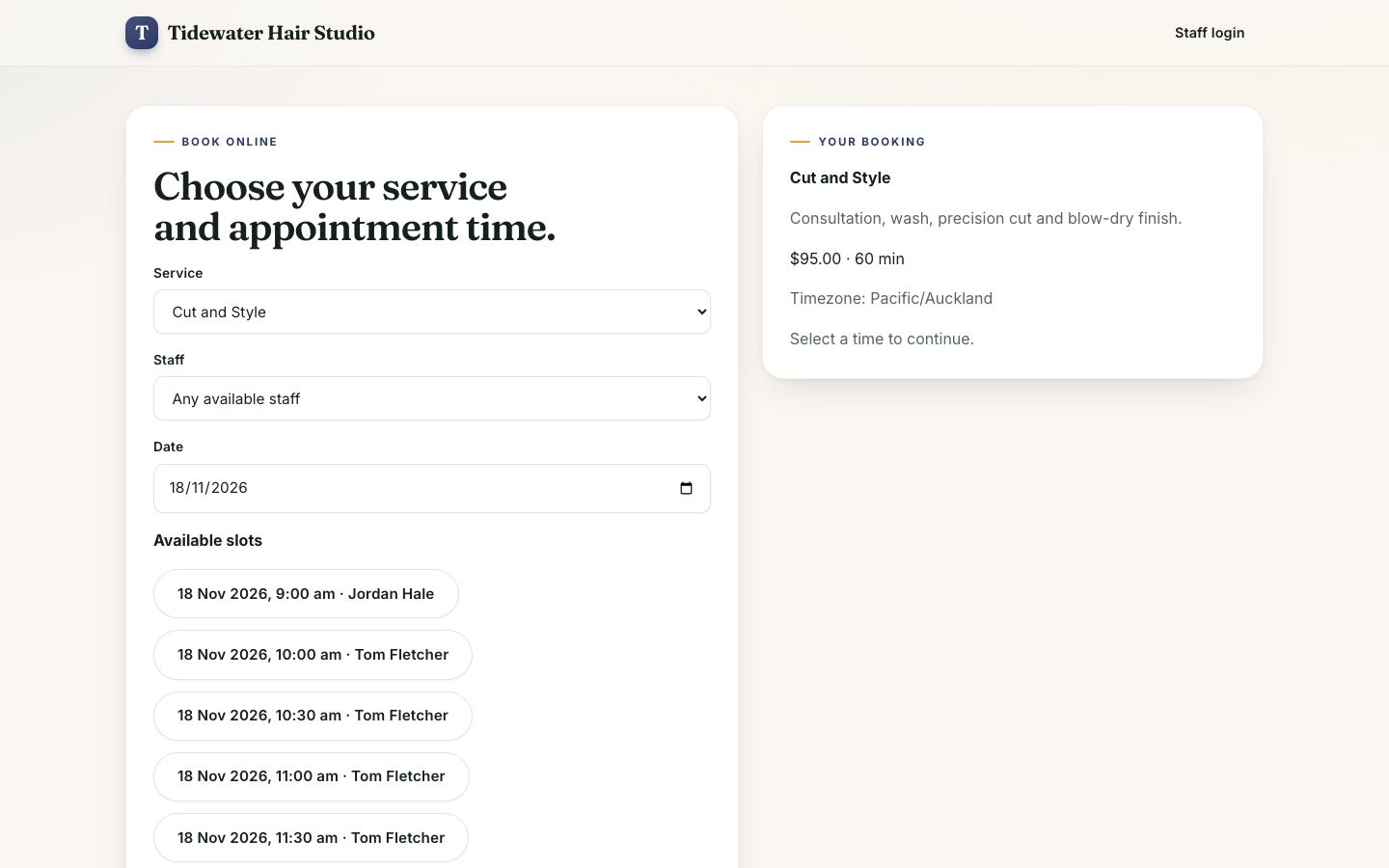
What the download includes:
- Owner sign-up that creates a new business workspace with its own subdomain, and a sign-in that lists every business you belong to.
- Branded booking sites with services, prices and durations, and online booking that respects opening hours, staff hours, service length and buffers, existing bookings, blocked times, minimum notice and the booking horizon.
- Tenant admin for owners, managers and staff: appointments (create, confirm, cancel, complete, mark no-shows, reschedule), services, staff and their hours, business hours, blocked times, booking rules, payment settings (none, deposit or full; fixed or percentage deposit), reminder settings, branding with a live preview and custom domains with DNS verification.
- Platform console to search tenants, activate, suspend or archive them, retry failed jobs and read the audit trail.
- Runtime theming: each business's colours, logo, favicon and font are applied per request, with no separate build per business.
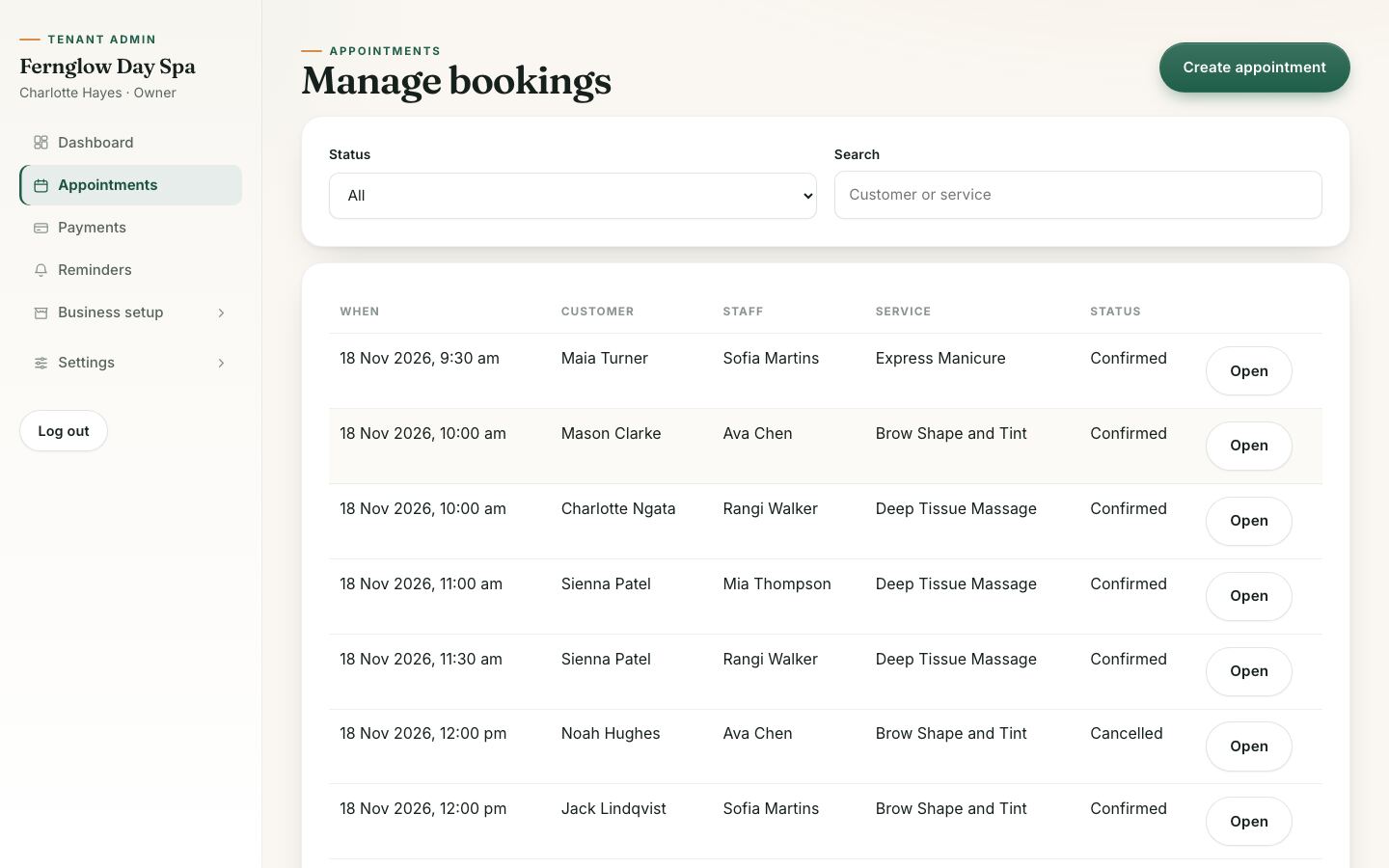
Important: the $39 download is the web app. It runs on a built-in demo backend with sample businesses and sign-ins for every role, so you can try everything locally. Real bookings, Stripe payments and text reminders are handled by the BookEase API, which isn't part of this download. The API, background workers and database schemas are available on request from the listing, or you can connect your own API that follows the contract documented in the download. Charging businesses a subscription for your platform isn't built in; you'd add that billing yourself.
| Stack | Next.js 16, React 19, TypeScript, Stripe Payment Element (live mode) |
| Live demo | booking-app.mvp.sale (three sample businesses, such as fernglow.mvp.sale, and demo sign-ins for every role on the sign-in page, password Demo1234!; the demo resets every hour) |
| Price | $39, one-time, for the web app with full source code |
| Get it | BookEase Multi-Tenant Booking Platform |
Your First 30 Days
| Week | Do this |
|---|---|
| 1 | Pick your first vertical and talk to ten owners about how they take bookings today. Decide your deposit and reminder defaults. |
| 2 | Rebrand the platform, connect a backend, and set up two friendly salons with their real services, staff and hours. |
| 3 | Let them take real bookings. Fix every confusing step, then invite five more businesses with a free trial. |
| 4 | Set your price, add a custom domain for your best customer and ask the first owners for a testimonial. |
FAQ
Do salons really need deposits? Not for every service. Many use deposits only for long or expensive treatments and for first-time clients, and no payment for quick services and regulars.
Should each salon get its own database? For a platform serving many businesses, separating each business's data is the safest choice. It's a bigger architecture decision; our multi-tenant guide explains the options.
Can one platform serve salons, spas and clinics? Yes. They all book services with staff and time slots. Start with one type of business in your marketing, then widen.
Can businesses use their own domain? That's a common premium feature. BookEase includes custom domains with DNS verification in the tenant admin.
Fill Every Chair
An online booking system for salons pays for itself the first week it prevents a no-show. Build it for one vertical, set up your first businesses by hand, and grow a platform that every salon on the street can use.
See BookEase or browse all local services and booking apps on MVPHub.
The cover image was created with AI image generation. The screenshots are from the BookEase demo included in the download.