How to Start a Niche Job Board: Niche, Supply, SEO and Revenue
How to Start a Niche Job Board: Niche, Supply, SEO and Revenue
The big job sites are built for everyone, which means they are not built for anyone in particular. A nurse looking for night shifts, a designer who only wants climate work, or a chef looking for jobs in one city all have to dig through thousands of roles that don't fit. That gap is the opportunity, and this guide covers how to start a niche job board that serves one group of people better than the giants can.
Step by step: pick a niche, win your first employers and job seekers, get roles into search, keep scams out and make money.
Why Niche Job Boards Still Work
A niche board wins on relevance, not size. If every job fits the reader, they come back. If every reader fits the job, employers get fewer but better applicants, and that is what they pay for.
- A community is already there. Most niches have newsletters, meetups and associations. You don't build an audience from zero, you become useful to an existing one.
- Search rewards focus. "Remote product designer jobs in climate tech" is a search a general job site rarely answers well.
- Low running costs. A job board is mostly listings, search and email. One person can run it alongside a day job.
Step 1: Pick a Niche You Can Own
The best niche is small enough that you can be the obvious place to look, and big enough that employers hire in it every month. Use one of these angles, or combine two:
| Niche angle | Examples | What to watch |
|---|---|---|
| Role | Data engineers, UX writers, dental nurses | Enough employers hiring that role regularly |
| Industry | Climate tech, nonprofits, games, hospitality | Industry events and newsletters you can partner with |
| Location | One city, region or language | Local employers who don't advertise widely |
| Work style | Remote only, four-day week, part-time, flexible hours | A clear, checkable promise in every listing |
| Community | Bootcamp graduates, a professional association, a conference | Someone who already owns the audience and wants a jobs page |
Before you build anything, check three things:
- Can you find 30 open roles in your niche today? If not, employers aren't hiring enough to sustain a board.
- Do you know where the job seekers gather? Name the newsletters, groups and events. That's your distribution.
- Is the promise obvious in one line? "Remote jobs at climate companies, salary always shown" is a board. "Great jobs for great people" is not.
Step 2: Solve the Chicken-and-Egg Problem
Job seekers won't visit a board with five roles, and employers won't post on a board with no visitors. The way out is to fill one side by hand until the other side shows up.
Start with supply (the jobs):
- Hand-pick roles. Find open roles in your niche on employer careers pages and list them with a link back to the original "apply" page. Ask permission where you can, and remove any role the employer asks you to.
- Offer free posts to your first employers. Email 20 to 50 companies you'd love to have on the board and offer a free listing for the first months. Early employers become your case studies.
- Keep it fresh. A board with 30 roles posted this week beats one with 300 stale ones.
Then bring the demand (the job seekers):
- A weekly email. "Ten new roles this week" is the simplest habit-forming product in hiring. Link every role back to your board.
- Partner with community owners. Offer a newsletter or association a branded jobs page in return for promotion.
- Post the best roles where your niche already talks, with permission from moderators.
When employers get applicants, that proof turns free posters into paying ones. For the general playbook on two-sided launches, see How to Build a Two-Sided Marketplace Without Overbuilding.
Step 3: Decide How Your Board Will Make Money
Most niche boards start free and add paid options once employers are getting results. Here are the common models:
| Model | How it works | When it fits |
|---|---|---|
| Paid job posts | Employers pay per listing, usually for 30 or 60 days | Steady traffic and a clear audience |
| Featured or pinned jobs | A paid upgrade that keeps a role at the top or in the email | A busy board where visibility matters |
| Post packs | A bundle of posts at a lower price per post | Agencies and employers who hire often |
| Employer subscriptions | Monthly fee for unlimited posts or a company page | Repeat hirers in a focused niche |
| Sponsorship | One sponsor per newsletter issue or board section | A strong email list |
| White-label or community boards | You run a jobs page for an association or event | Partners who own the audience |
A simple rule: charge for results, not for access. If a free post gets an employer three good applicants, a paid featured upgrade is an easy yes. If free posts get nothing, charging won't fix it.
Step 4: Get Your Jobs Into Search Results
Search is the cheapest long-term traffic a job board can get, and job boards have an advantage: JobPosting structured data. It's a small block of schema.org data on each job page that tells search engines the title, employer, location, salary, job type and closing date. Search engines that support it can then show your roles in their dedicated job search results.
Get these details right on every job page:
- One page per job, with its own URL, title and description.
- Accurate location data, or a clear remote flag with the countries or regions you hire from.
- Salary when you have it. Job seekers filter on it.
- A posted date and an end date. Old roles that still look open hurt trust and break the rules most search engines publish for job data.
- Remove the structured data when a role closes, and keep the page live with a clear "closed" notice and links to similar roles.
Then build the pages around the jobs:
- Category and location pages ("remote data jobs", "design jobs in a city") with a short intro and live listings. These are the pages that rank for broad searches. Our guide to ranking category pages covers this in detail.
- A sitemap that updates as roles are added and closed.
- Keep private pages out of search: sign-in, saved jobs and employer dashboards don't belong in results.
Step 5: Keep Scams and Spam Off the Board
Fake jobs damage a board faster than anything else. Scam posts ask for money up front, request personal documents before an interview, or promise high pay for vague work. Build a simple moderation routine from day one:
- Know who is posting. Require an account and a working email for every employer. Be wary of free email addresses posting for well-known companies.
- Check new posts daily. Look for missing company details, payment requests and copy-pasted text.
- Close and delete quickly. Have a one-click way to take a role down, and to suspend the account behind it.
- Limit abuse. Rate limits on sign-up and sign-in stop bots from flooding the board.
- Expire old roles. Ask employers to close filled jobs, and remove anything long past its end date.
- Publish posting rules. A short "what we accept" page makes it easy to explain why a post came down.
Privacy matters too. Job seekers and employers share contact details with you, so give people a way to delete their account and data, and check the rules where you operate. Our guide to building trust in a marketplace has more on verification.
Launch Faster With Hireloop, a Ready-Made Job Board
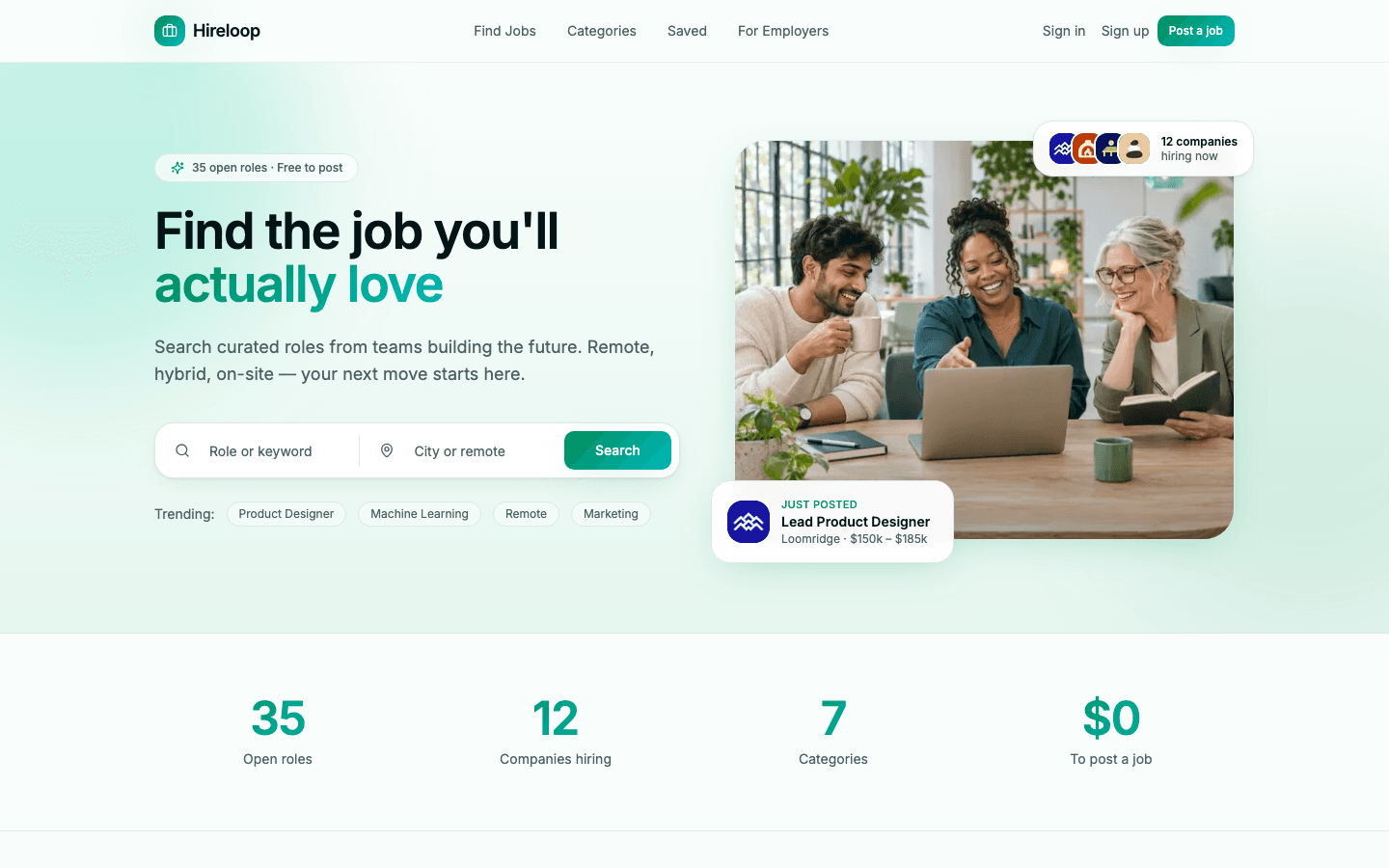
If you'd rather spend your time on employers than on sign-in flows, Hireloop is a self-hostable job board you can download, rebrand and launch.
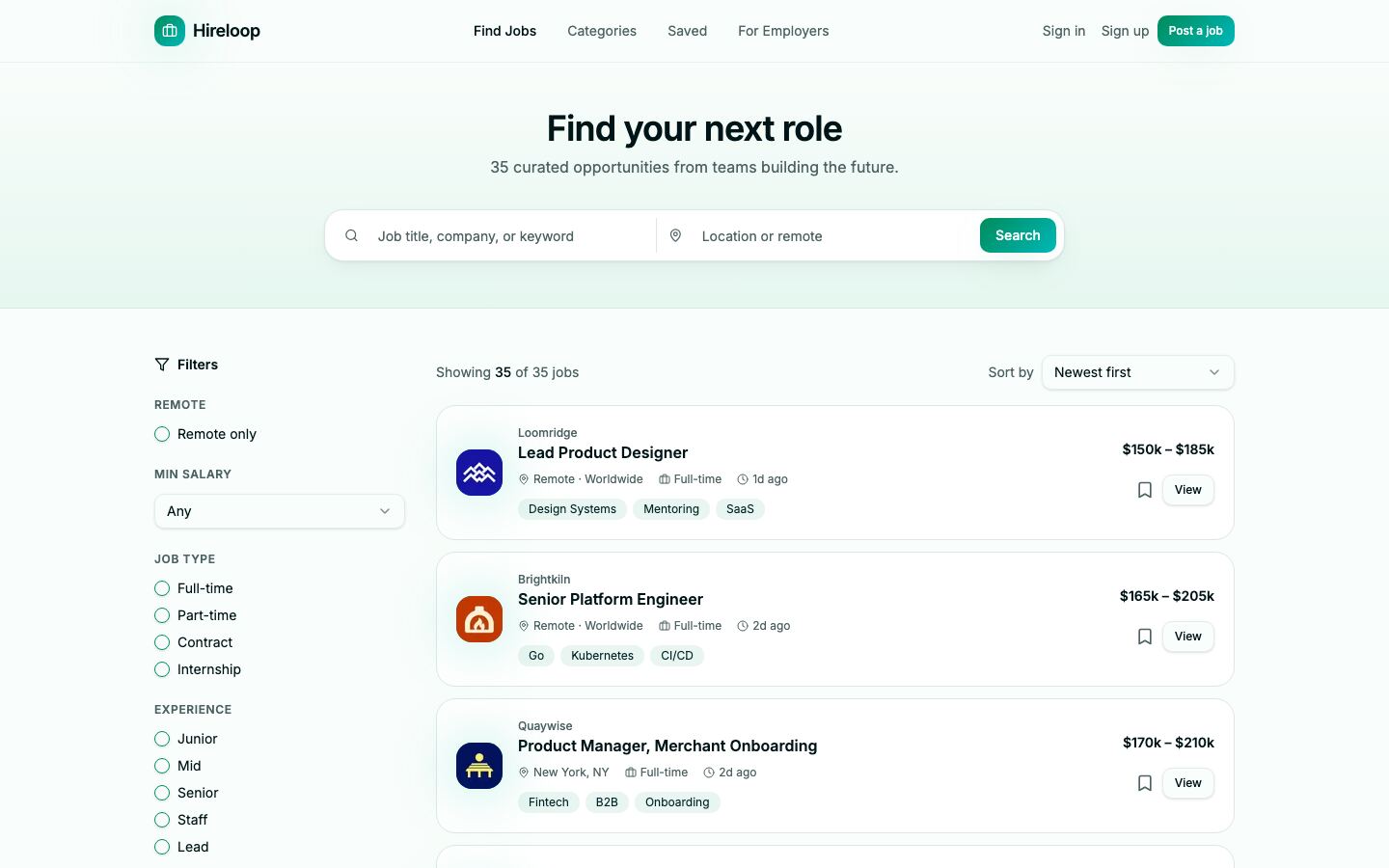
What's inside:
- A jobs board with keyword and location search, filters for remote, minimum salary, job type, experience level and category, and three sort orders. Filters live in the URL, so searches can be shared, and job seekers can bookmark roles.
- Job pages with a job overview, similar roles, share and apply buttons. Apply links go to the employer's careers page or an email address.
- Employer accounts: free sign-up, one form to post a job, and a "My postings" page to edit, close, reopen or delete roles.
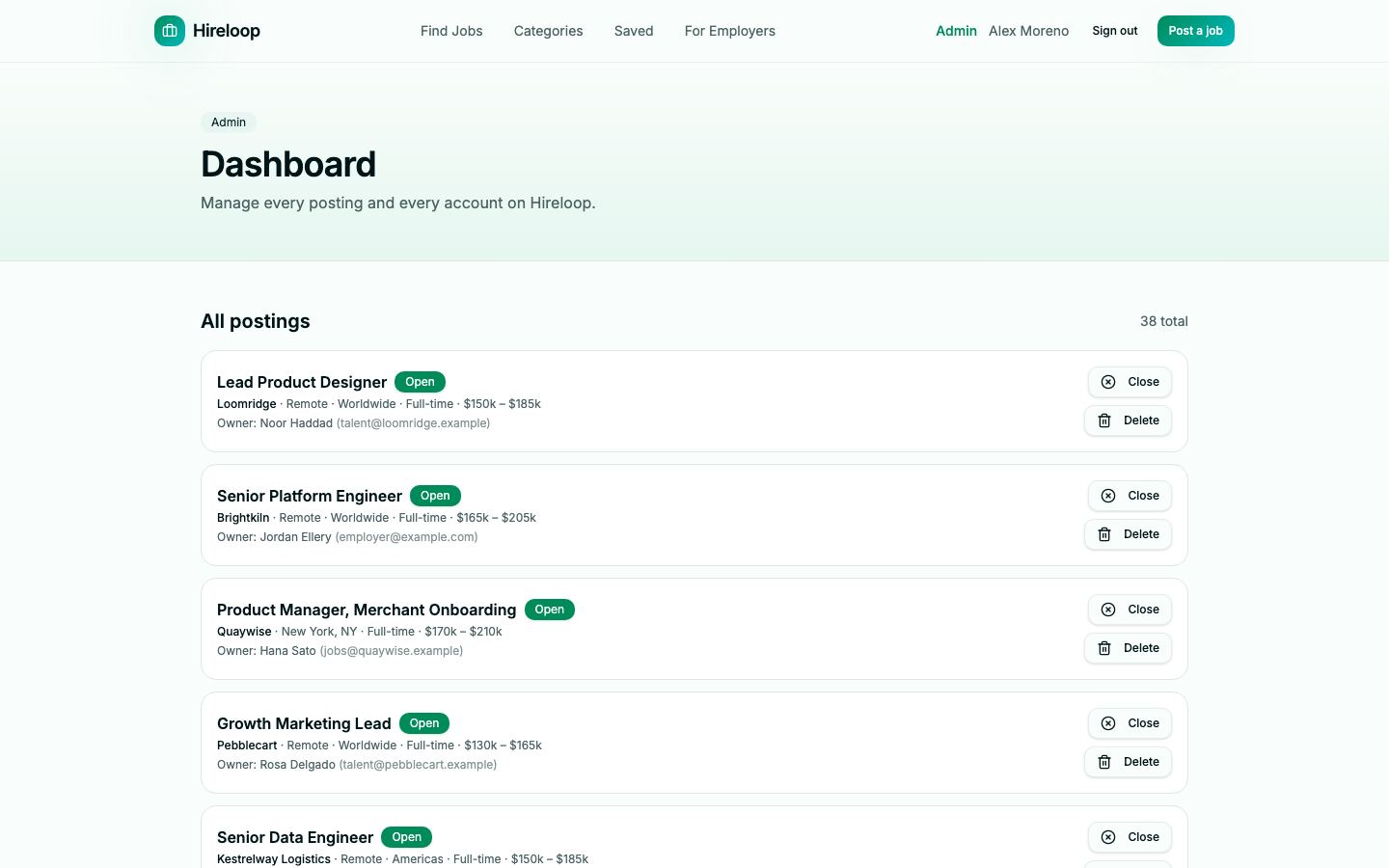
- An admin dashboard to close, reopen or delete any posting, promote or demote admins, and suspend or reactivate accounts. Suspending an account signs that user out everywhere.
- Search basics: per-job titles, descriptions and canonical URLs, JobPosting structured data on every open job (removed when a role closes), a generated sitemap,
robots.txtand a social card. - Accounts and safety: email verification, password reset, rate limits on sign-in and sign-up, and self-service account deletion that closes the user's postings and removes their personal data.
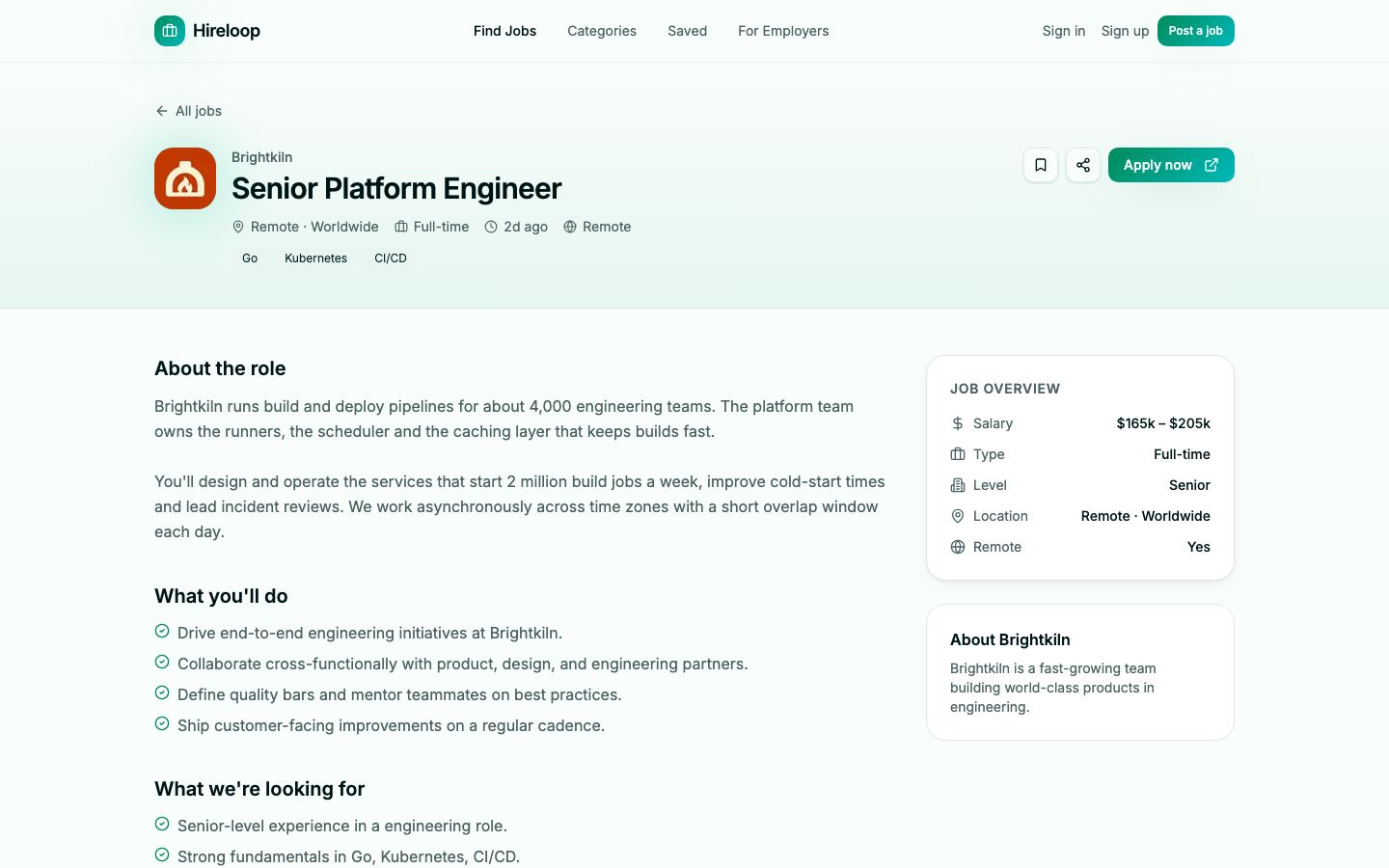
It runs straight away on a built-in demo database with 38 fictional listings from 12 companies, so you can try every screen before connecting your own Postgres database. Posting is free and jobs go live as soon as they're submitted, which suits the "fill the board first" stage. Paid posts, featured jobs and applicant tracking aren't included; add them when you're ready to charge. The demo categories are tech roles, and the setup guide shows how to change categories, job types and levels for your niche.
| Stack | Next.js 16, React 19, TypeScript, Postgres with Drizzle ORM, Tailwind CSS |
| Live demo | hireloop.mvp.sale (the sign-in page lists demo job seeker, employer and admin accounts, password Demo1234!) |
| Price | $39, one-time, with the full source code |
| Get it | Hireloop Self-Hosted Job Board |
How to Start a Niche Job Board in 30 Days
| Week | Do this |
|---|---|
| 1 | Pick your niche and write the one-line promise. List 30 to 50 real roles and the five places your job seekers gather. |
| 2 | Rebrand the board, set your categories, write your posting rules and launch with the hand-picked roles. |
| 3 | Email 20 to 50 target employers with a free-post offer. Send your first weekly jobs email. |
| 4 | Ask employers how many applicants they got. Close stale roles, fix your category pages and decide on your first paid option. |
FAQ
How many jobs do I need before launch? Enough that a visitor finds something relevant on their first visit. In a tight niche, 30 fresh roles is a reasonable start. Freshness matters more than volume.
Should job posts be free at the start? Usually, yes. Free posts fill the board and give you proof to sell later. Start charging once employers tell you they're getting good applicants.
Do I need an applicant tracking system? Not at launch. Sending candidates to the employer's own apply page or email is simpler, and most employers already have a process for it.
Start Your Board This Month
A niche job board is one community, one promise and a list of jobs that fit. Fill the board by hand, earn the trust of a few employers, and paid features will follow.
See Hireloop or browse all listings and marketplace apps on MVPHub.
The cover image was created with AI image generation. The screenshots are from the Hireloop demo.