Kids Fashion Shopping App: Build One for iPhone and Android
Kids Fashion Shopping App: Build One for iPhone and Android
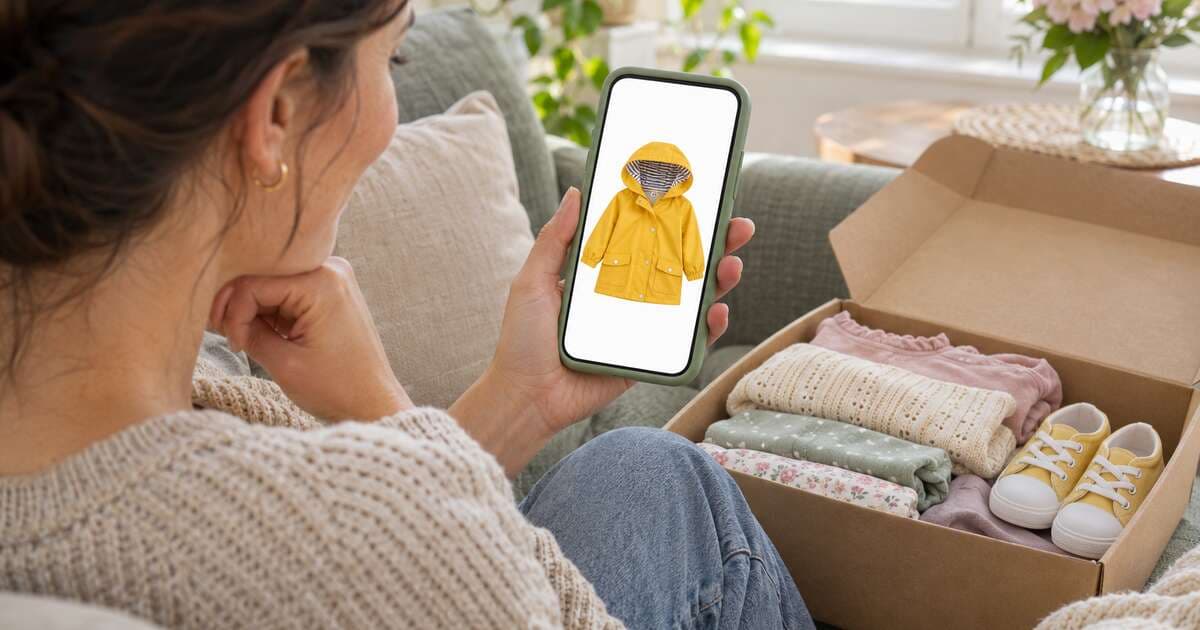
Parents shop in short bursts: on the sofa after bedtime, in a waiting room, on the bus. A kids fashion shopping app fits that life. It sits on the home screen, remembers what they saved, and gets them from "she needs a new jacket" to a placed order in a few taps.
But an app is not the right first step for every store. This guide covers when a kids clothing store needs its own app, which screens matter, how to build for iPhone and Android from one codebase, what App Store and Google Play submission involves, and how to keep the app in step with your web store.
App or Mobile Website: Which Comes First?
Most kids clothing stores should start with a fast mobile website. An app earns its place once you have customers who buy again and again.
| Mobile website | Shopping app | |
|---|---|---|
| How people find you | Search engines, ads, shared links | Mostly existing customers who choose to install |
| First visit | Instant, no install | Needs a download |
| Repeat purchases | Bookmarks and emails | One tap from the home screen, saved wishlist |
| Updates | Live as soon as you publish | Code changes go through app store review |
| Cost to run | One site | Two store listings, developer accounts and review cycles |
A simple rule: build the website first, then add an app when repeat buyers are a big part of your sales, or when an app is part of your brand promise. Kids fashion fits the repeat-buyer pattern well, because children keep growing and parents keep coming back for the next size.
If you are still deciding whether mobile commerce is worth it at all, How to Build a Mobile eCommerce App MVP covers the general case.
What a Kids Fashion Shopping App Needs
Keep the first version small. These screens cover almost everything a parent does:
| Screen | What parents need |
|---|---|
| Home | Seasonal banner, shop-by-category shortcuts, popular picks |
| Shop and search | Categories such as clothing, toys and shoes, plus search by name |
| Product | Big photos, price and sale price, stock status, description, add to bag, save for later |
| Size picker | Age sizes for clothes, shoe sizes, a link to the size guide |
| Wishlist | Saved items to buy later or share with grandparents |
| Bag | Quantities, totals, remove, continue shopping |
| Checkout | Address, delivery option, payment and a review step |
| Account | Profile and order history with status |
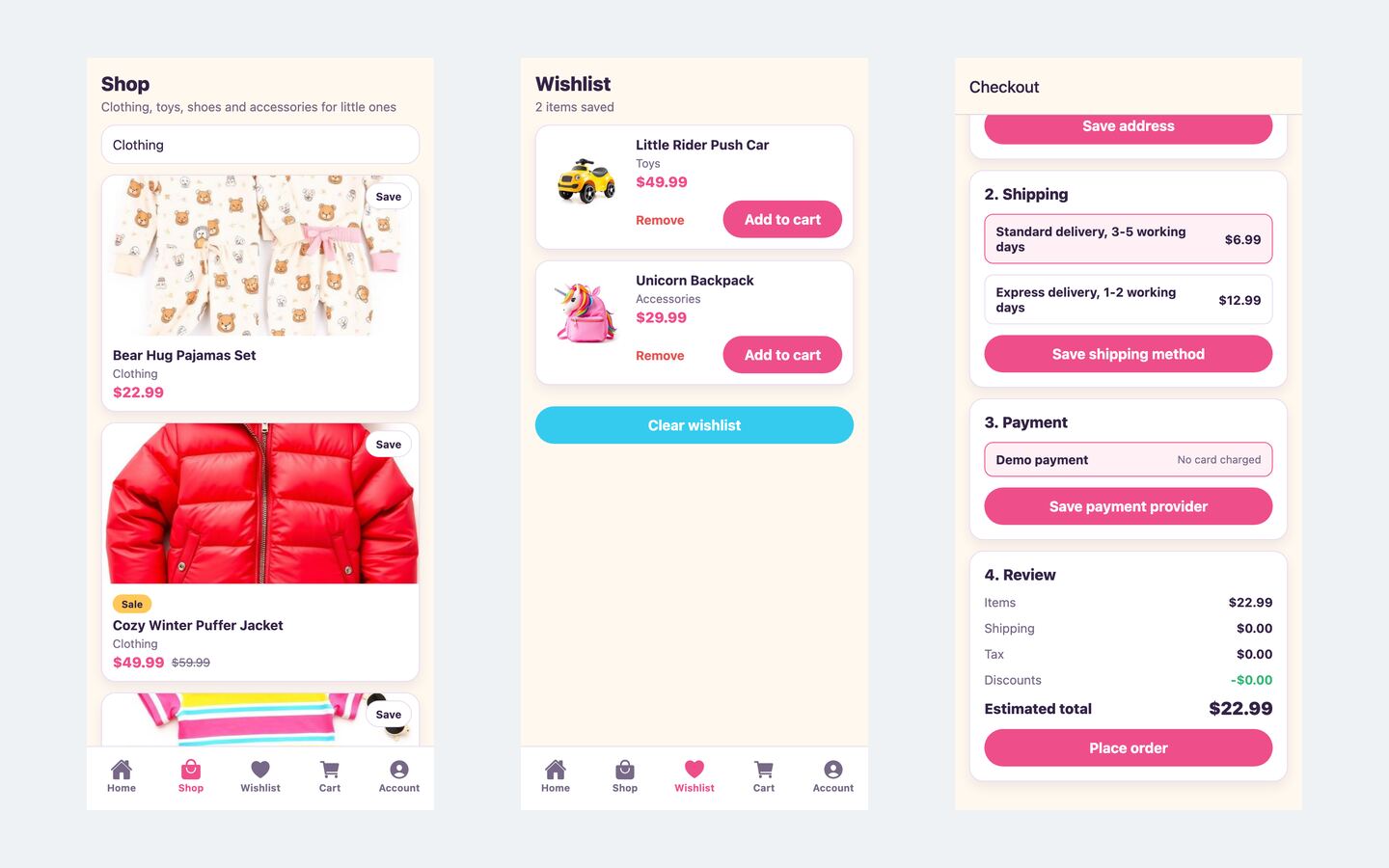
The size picker deserves extra care. Show sizes as parents think of them (2-3Y, 4-5Y), mark sold-out sizes clearly instead of hiding them, and link to a size guide with heights and measurements. Wrong sizes are a common reason kids' clothing comes back.
Things that can wait: push notifications, loyalty points, reviews written in the app, and personalised recommendations. Add them once you know what your customers use.
Design for One-Handed, Busy Parents
- Bottom tab navigation so every main screen is a thumb's reach away.
- Big tap targets for add to bag, size buttons and quantity controls.
- Fast product images. Compress photos and show them at phone size.
- Clear stock messages like "Only 3 left" or "Out of stock" on the product screen.
- A short checkout with clear steps, so a parent can finish between interruptions.
- Keep sessions signed in securely on the device, so returning parents don't retype passwords.
Build Once for iPhone and Android
Building two separate native apps doubles the work. Cross-platform frameworks let one team ship both from one codebase:
- React Native with Expo: JavaScript and TypeScript, a large ecosystem, and a natural fit if your web store is built with React.
- Flutter: Dart, with its own rendering engine and very consistent visuals across devices.
- Native Swift and Kotlin: the most control, at the cost of two codebases.
For a shopping app with standard screens, a cross-platform framework is usually the practical choice. Flutter vs React Native for Ecommerce Apps compares the two in detail.
Keep the App in Sync With Your Web Store
The worst outcome is an app that disagrees with your website: a different price, a sold-out jacket still for sale, or orders that only appear in one place. Avoid it with one rule: one backend, two storefronts.
- One catalogue. The app and the website read products, prices and stock from the same commerce backend.
- One customer account. Parents sign in with the same email on both, and see all their orders.
- One set of promotions. Sales and promo codes apply everywhere at once.
- Deep links. A link in an email or social post should open the product screen in the app if it is installed.
- Content from the backend where possible, so banners and categories can change without a new app release.
Getting Into the App Store and Google Play
Publishing is a process, not a button. In general terms:
- Create developer accounts with Apple and Google. Both charge fees and ask you to verify who you are.
- Set your app identity: app name, a unique bundle identifier and package name, icons and a splash screen.
- Build release versions of the app for each platform, signed with your own credentials.
- Prepare the store listings: description, screenshots for different phone sizes, a support link and a privacy policy.
- Answer the privacy questions honestly about what data the app collects, such as email addresses and order history.
- Test before review with a small group, using each store's testing tracks.
- Submit for review, fix anything the reviewers flag, and publish.
Two points matter for this niche. First, a kids fashion app is a shopping app for parents, not an app for children. Make that clear in your listing and age rating, because apps aimed at children face extra rules. Second, physical goods such as clothes are normally paid for with regular card payments, not the stores' in-app purchase systems. Store rules change, so read each store's current guidelines before you submit.
Launch Faster With the Kids Fashion Store Mobile App
We built the Kids Fashion Store Mobile App as a ready-made starting point: a bright kids fashion and toy shopping app for iPhone and Android, with the demo brand TinyTrends.
What's inside:
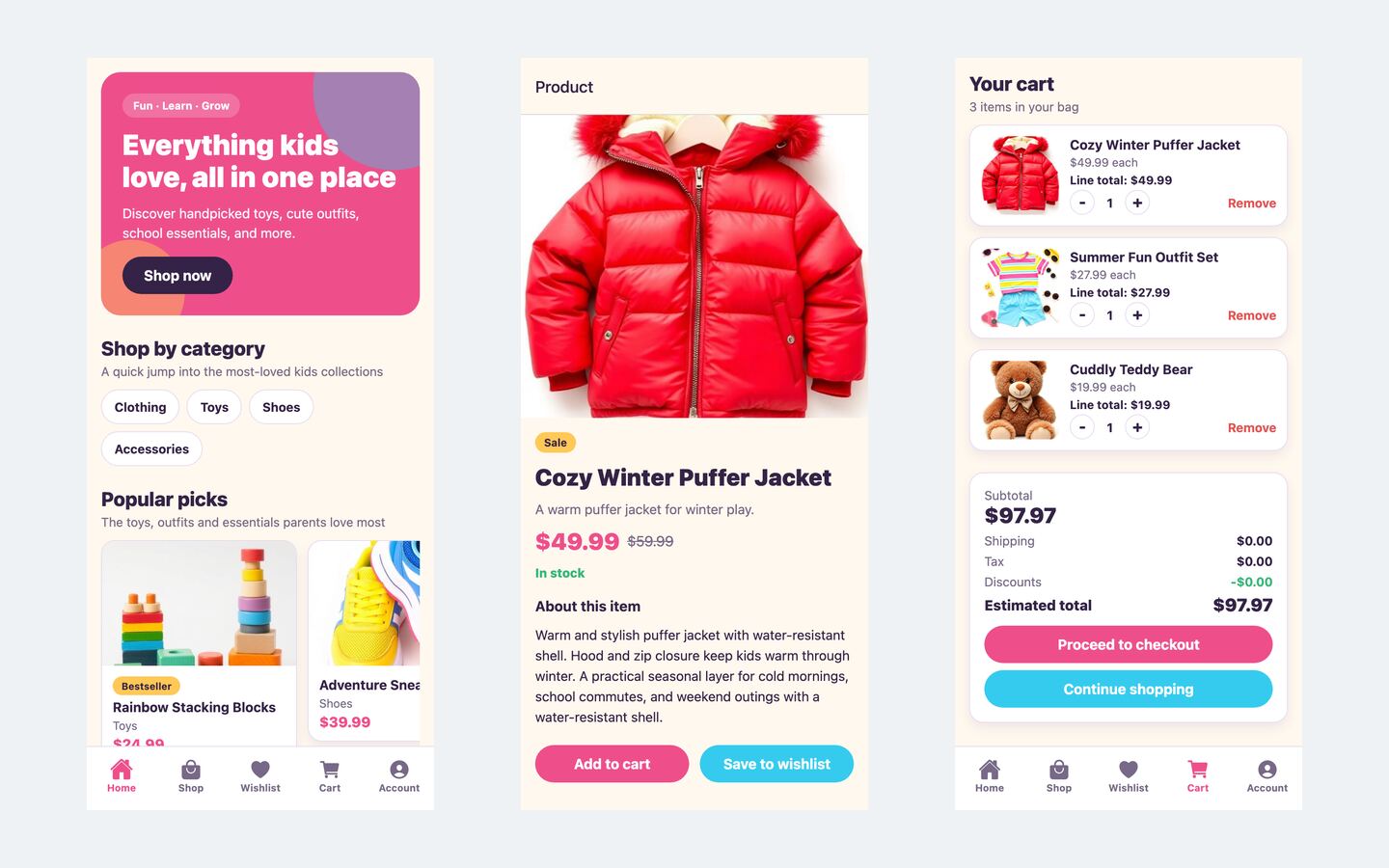
- One Expo codebase for iOS, Android and the web, with bottom tabs for Home, Shop, Wishlist, Cart and Account
- A home screen with a hero banner, category shortcuts (clothing, toys, shoes and accessories) and popular picks
- Shop with search across product names and categories
- Product screens with a large image, New, Sale and Bestseller badges, sale prices, stock status, add to cart and save to wishlist
- A four-step checkout: delivery address, delivery option, payment and review
- Accounts with sign-up, a profile screen and order history, with the session kept in the device's secure storage
- Deep links to product screens and a themeable design from one theme file
- Demo mode with 18 products and simulated checkout on the device, so it runs with no server
Before you sell clothes in several sizes, add a size picker. The product screens add each product's default option to the cart, so the size picker described above is the first change for a clothing catalogue.
For real orders, switch to live mode and point the app at your commerce API. Live mode uses the same API routes as our Kids Store web storefront, so both can run from one backend and share products, stock, customers and orders. Any backend that serves the same endpoints works too. The setup guide covers native builds for the App Store and Google Play.
| Stack | Expo SDK 55, React Native 0.83, React 19, Expo Router, TypeScript |
| Live demo | kids-store-app.mvp.sale (the web build of the app, best viewed at phone width) |
| Price | $49, one-time, with the full source code |
| Get it | Kids Fashion Store Mobile App |
MVPHub is not affiliated with Apple or Google. We mention their app stores only because they are where iPhone and Android apps are published.
Your First 30 Days
| Week | Do this |
|---|---|
| 1 | Check your web store's repeat-purchase numbers and decide if an app is worth it now. Open your developer accounts. |
| 2 | Rebrand the app (name, colours, icons), add a size picker and connect it to the same backend as your web store. |
| 3 | Build test versions, try them with a few parents, and prepare store screenshots, descriptions and a privacy policy. |
| 4 | Submit to both stores. Once approved, promote the app to existing customers with a note in order emails and packing slips. |
FAQ
Do I need a separate backend for the app? No, and you shouldn't have one. Use the same commerce backend as your website so products, stock and orders always match.
Do I need a Mac to build the iPhone version? Local iOS builds need Xcode, which runs on a Mac. Cloud build services can build iOS apps without one.
Can the app run without a web store? Yes. Demo mode runs on its own data. For real orders, live mode needs an API that serves the app's endpoints, such as the Kids Store web storefront.
Is this an app for children? No. It is a shopping app for parents and gift buyers. Describe it that way in your store listings.
From Website to Home Screen
A kids fashion shopping app works best as the second step: a fast website wins new customers, and the app keeps them coming back as their children grow. Share one backend, keep the first version simple, and let parents tell you what to build next.
See the Kids Fashion Store Mobile App or browse all ecommerce apps on MVPHub.
The cover image was created with AI image generation. The screenshots are from the Kids Fashion Store Mobile App demo.