How to Start an Online Grocery Delivery App: A Local-First Guide
How to Start an Online Grocery Delivery App: A Local-First Guide
Groceries are the one thing almost everyone buys every week. That makes grocery delivery a repeat-purchase business like few others, and also one of the hardest to run well: thin margins, fresh food that spoils, and customers who notice when the bananas are bruised. If you are wondering how to start an online grocery delivery app, the good news is that you don't need to compete with national chains. The businesses that work best start small, close to home, and get the basics right.
This guide covers choosing your model, delivery zones and slots, minimum orders and fees, substitutions, the cold chain, specials and repeat orders, then shows a ready-made grocery app for iPhone and Android.
Start Local, Not Big
A local grocery app wins on things big platforms struggle with: freshness, speed, knowing the area and knowing the customers. Pick the model that matches what you already have:
| Model | What you need | Strength |
|---|---|---|
| Existing shop adds delivery | A store, stock and a till system | Customers already trust you |
| Delivery-only store | A small storeroom, fridges and a van | Lower rent, built for picking |
| Specialty grocer | A clear range: organic, world foods, farm produce | Loyal customers who travel for you |
| Co-op or farm shop | Members or producers | Community support and supply |
Whichever you choose, start with one area you can serve well, prove people reorder, then expand. For more on why small local businesses have an edge, read How to Survive the AI Era: Start a Small Local Business Online.
How to Start an Online Grocery Delivery App: Zones, Slots and Collection
Delivery is where grocery apps make or lose money. Plan it before you design anything.
Delivery zones. Draw a tight first zone around your store, for example the neighbourhoods you can reach and return from in one round. Publish the list so people know whether you deliver to them. Add zones only when the first one is busy.
Delivery slots. Customers want to know when food will arrive so someone is home to put it in the fridge. Offer a few slots per day, cap each one at the number of orders you can pick and drive, and close each slot a few hours before it starts.
Express delivery. A fast option at a higher fee is useful for top-up shops, but only if you can keep the promise.
Click and collect. Free collection is the cheapest service you can offer, and many customers like it. It also lets you serve people just outside your delivery zone.
Minimum Orders and Delivery Fees
Every order costs you picking time, bags, fuel and a driver's time, whether it is $15 or $150. Three settings protect your margin:
| Setting | What it does | How to choose it |
|---|---|---|
| Minimum order | Stops tiny orders that lose money | Cover picking and packing costs at your average margin |
| Delivery fee | Pays for the drive | Base it on your real cost per drop, and charge more for express |
| Free-delivery threshold | Rewards bigger baskets | Set it above your typical basket so people add a few items |
Show all three early: on the home screen, in the basket and at checkout. A shopper who discovers a fee at the last step leaves. Keep collection free if you can.
Substitutions Without Annoying Customers
Something will be out of stock in almost every order. How you handle it decides whether people come back.
- Let customers choose a default: substitute the closest match, call first, or no substitutions.
- Allow per-item notes for things people care about, like "ripe avocados only".
- Charge the lower price when you substitute a more expensive item.
- Tell customers before they unpack: list substitutions and missing items in the delivery message, and refund missing items quickly.
Track your most common out-of-stocks. They tell you what to reorder and what to stop listing.
Perishables and the Cold Chain
Fresh and frozen food is the hardest part of grocery delivery, and the part customers judge you on.
- Pick chilled and frozen items last, just before the van leaves.
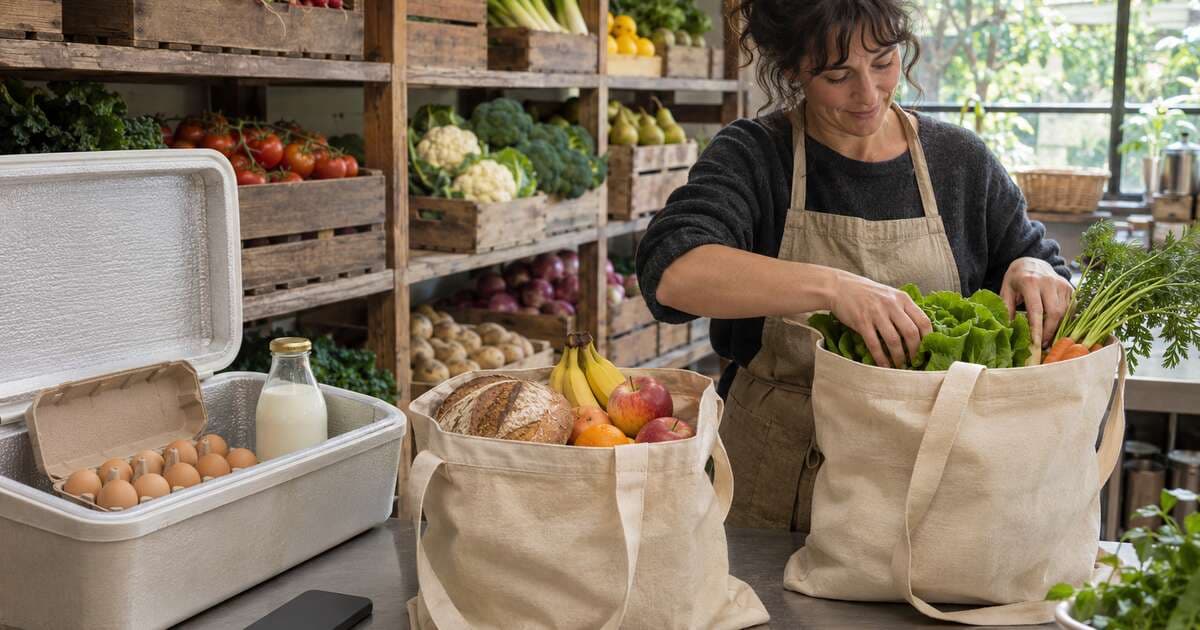
- Use insulated boxes or bags and ice packs, and keep frozen items separate from chilled.
- Limit time on the road so nothing sits warm for long, and plan routes accordingly.
- Don't leave chilled food unattended unless the customer has a cool box and agreed to it.
- Check dates when picking and set a rule for minimum shelf life on delivered items.
- Pack heavy items at the bottom and keep eggs, bread and soft fruit on top.
Food businesses usually need to register or hold a licence, and food safety rules differ by country and region. Check the rules where you sell before you start delivering.
Product Data for an Online Grocery
Grocery shoppers move fast. Clear product data helps them fill a basket in minutes:
- Pack size and unit price (per kg, per litre, each), so people can compare.
- Weighed items like meat and loose vegetables, sold per kg with a clear note that the final price may change slightly.
- Dietary and allergen tags, such as vegan, gluten-free or contains nuts, with filters that use them.
- Clean, consistent photos, one per product, on a plain background.
- Aisles that match how people shop: fruit and veg, dairy, bakery, pantry, frozen and household.
Weekly Specials and Meal Ideas
Specials give people a reason to open your app every week. Rotate a set of deals on a fixed day, show when they end, and promote them in one message to your customers. Meal ideas work too: a "spaghetti night" bundle that adds all the ingredients in one tap turns a recipe into a basket.
Repeat Orders Are the Real Business
A grocery app earns its keep on the third, tenth and fiftieth order, not the first. Make reordering effortless:
- "Your usuals": the items each customer buys most, ready to add again.
- Saved lists for the weekly shop.
- Shopping list matching: let people type or paste a list and match each line to a product.
- Reminders on the day they usually order.
- Simple rewards, such as store credit for regular customers, once you know your margins.
For the product side of a phone-first store, see How to Build a Mobile eCommerce App MVP.
Marketing a Local Grocery App
- Flyers in every bag with a referral code for friends and neighbours.
- Local community groups and neighbourhood newsletters.
- A first-order offer, such as free delivery, rather than deep discounts on food.
- Local producers: feature the baker or farm you buy from. It is content people share.
- Reviews: ask after the second order, once the customer trusts you.
Launch Faster With Grocy, a Ready-Made Grocery App
Grocy is a complete grocery shopping app for iPhone and Android, built with Expo and React Native, with an optional matching Next.js web store. It covers everything in this guide that happens on the shopper's phone.
What's inside:
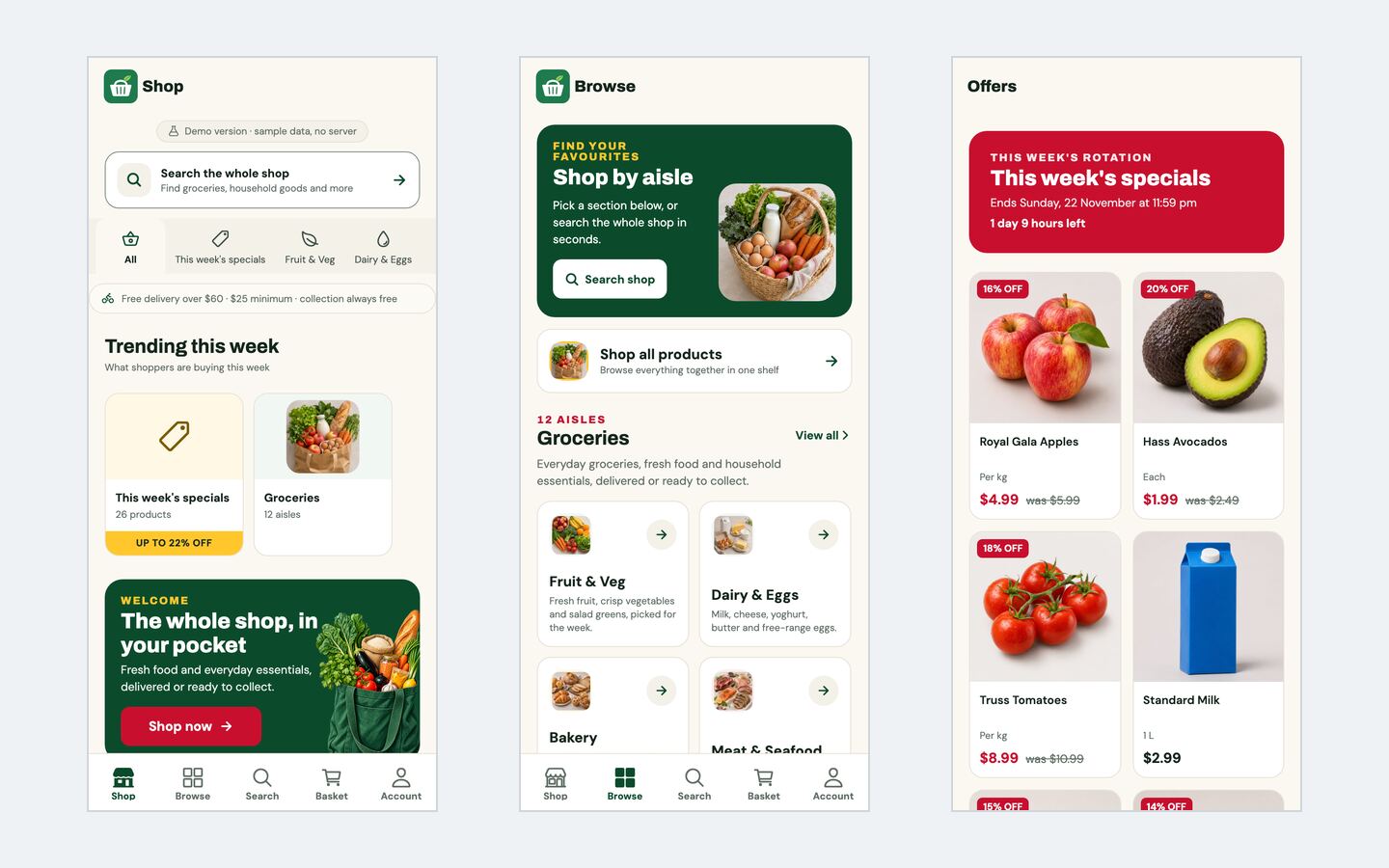
- A home screen with search, a specials tab strip, trending tiles, promotions and your delivery promise
- Twelve aisles and 124 demo products, each with its own photo, plus sorting, dietary and allergen filters, sale badges and sold-out states
- Search with suggestions, brand facets and sorting
- Product pages with pack sizes, "was" prices, stock states and save for later
- Weekly specials with a live countdown, meal kits that add every ingredient in one tap, and a shopping list that matches each line to a product
- A basket that shows the minimum order and the free-delivery threshold
- A four-step checkout: your details, delivery address or Click & Collect, delivery options with their own fees, and payment
- Accounts with order history, "your usuals" for quick reordering, returns, saved addresses and lists, and substitution and allergen preferences
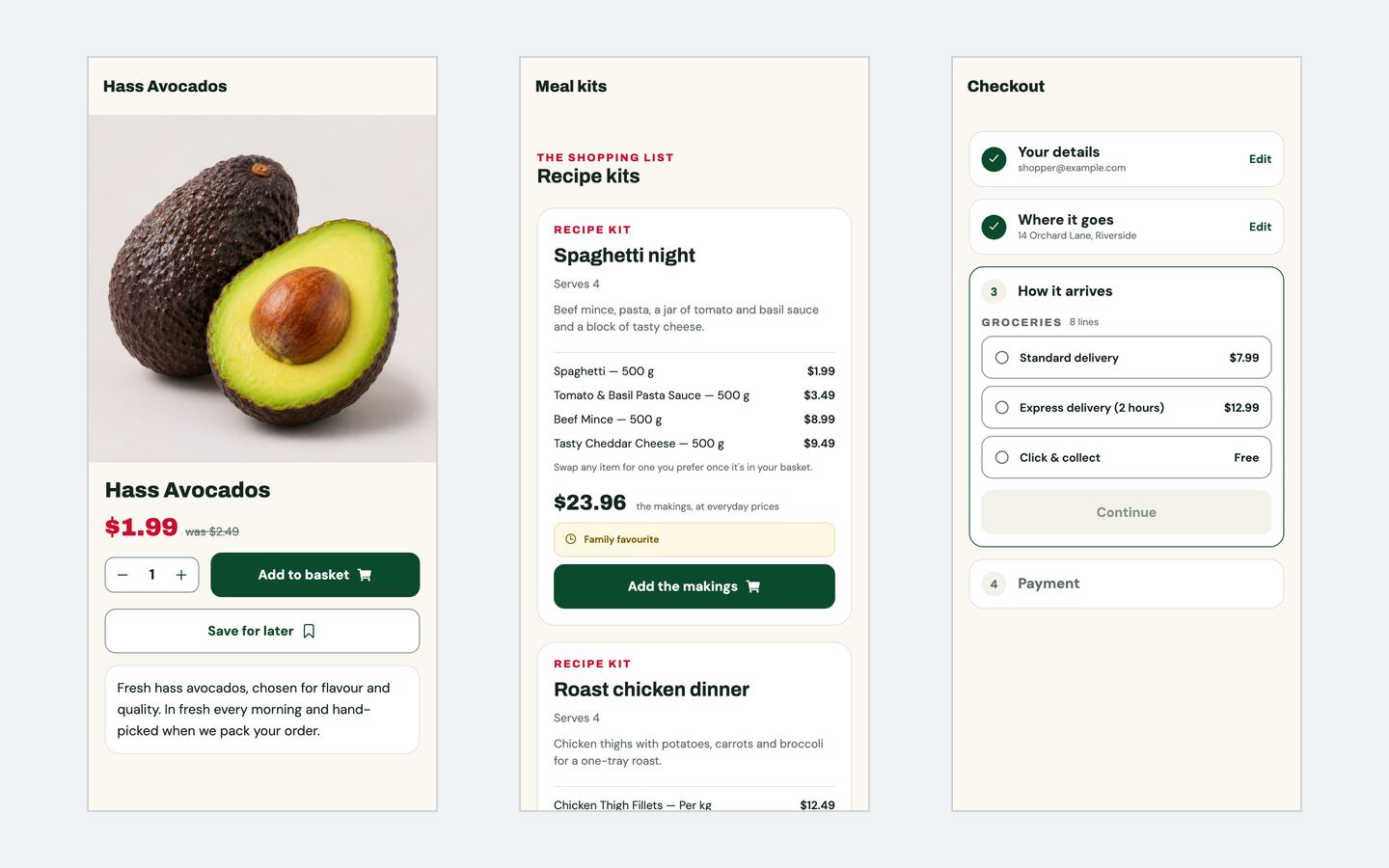
It runs straight away on built-in demo data, with no server: the demo checkout is simulated and nothing is charged. For real orders, switch one setting to live mode and connect the open-source headless commerce backend it is built for, which you host yourself; card payments through Stripe work in live mode. Bookable time slots and delivery zones are not built in: the app offers delivery options, each with its own fee, which you can set up to match your service. The setup guide covers live mode, production builds and app store builds.
| Stack | Expo, React Native, Expo Router, TypeScript (plus Next.js 16 and Tailwind CSS for the web store) |
| Live demo | grocy-app.mvp.sale (the app's web build on demo data) |
| Price | $59 for the Expo Mobile App, or $89 for the Mobile App + Next.js Web Store, one-time with full source code |
| Get it | Grocy Grocery Mobile App |
Your First 30 Days
| Week | Do this |
|---|---|
| 1 | Pick your model and first delivery zone. Work out your cost per order, then set the minimum order, delivery fees and free-delivery threshold. |
| 2 | Load your first 100–200 products with pack sizes, unit prices, dietary tags and photos. Buy insulated boxes and plan picking. |
| 3 | Rebrand the app, connect your backend and payments, and test with friends and family. Fix every substitution and packing problem. |
| 4 | Launch to one area with flyers, a first-order offer and a weekly specials message. Track how many customers order a second time. |
FAQ
Do I need my own store to start a grocery delivery app? No. You can run a small delivery-only storeroom, partner with a local shop, or start with a specialty range. You still need proper food storage and the right registrations where you operate.
How big should my first delivery area be? Small enough that one driver can complete a round quickly and keep chilled food cold. Grow it when your slots fill up.
Should I build a website as well as an app? Many shoppers start on the web and move to the app once they reorder. A web store also helps you show up in local search, which is why Grocy has a mobile-and-web variant.
Start Your Grocery Delivery App
Start local, make delivery predictable, treat fresh food with care, and make the weekly reorder effortless. Get those right and the app becomes part of your customers' routine.
See Grocy or browse all ecommerce apps on MVPHub.
The cover image was created with AI image generation. The screenshots are from the Grocy demo.