SEO Microsite for Your Marketplace: When and How to Launch One
SEO Microsite for Your Marketplace: When and How to Launch One
Your marketplace already does the heavy lifting: accounts, checkout, payouts and seller tools. But one site with one brand can only speak to so many audiences. An SEO microsite for your marketplace is a second, lightweight storefront on its own domain that shows part or all of your catalog, ranks for its own searches and sends buyers back to the main marketplace to pay.
Done well, a microsite opens a new channel for very little running cost. Done badly, it copies your own pages and competes with them in search. This guide explains when a microsite is worth it, how to avoid the duplicate-content trap and how to build one on top of your catalog API.
What Is a Marketplace Microsite?
A marketplace microsite is a read-only catalog site. It has no accounts, no cart and no payments. It does three jobs:
- Get found. Every page is built for search engines and link previews.
- Help people choose. Search, filters, categories and listing summaries.
- Hand off the sale. Every "Buy" button links to the listing on the main marketplace, tagged so you can see where the buyer came from.
| Main marketplace | Microsite | |
|---|---|---|
| Accounts, checkout, payouts | Yes | No, links back to the marketplace |
| Catalog | Full catalog, live | A slice or the whole catalog, read from an API |
| Brand and tone | Your main brand | Can be themed for one audience |
| Release cycle | Careful, many moving parts | Fast, independent of checkout |
| Main SEO job | Brand searches, listing pages | A niche, a campaign or a second audience |
When a Microsite Helps, and When It Hurts
A microsite is a good idea when it reaches people your main site doesn't:
- A niche slice. "Booking apps only" or "templates for restaurants" can rank and convert better as a focused site than as one category on a big marketplace.
- A different audience or tone. A playful, hand-drawn site for first-time founders next to a sober main brand for agencies.
- A memorable domain for ads, podcasts, print or events, where a short name matters.
- Testing a vertical before you build it into the main product.
- Agencies and partners who want a branded catalog for their clients that still sells through your marketplace.
It hurts when it's just a copy. Two sites with the same listings and the same text compete for the same searches, split your links and double the pages you have to keep accurate. If you can't name a search or an audience the microsite will win that your main site can't, don't build it.
Avoid the Duplicate-Content Trap
The biggest risk is listing pages. If the microsite's listing page repeats the main marketplace's listing word for word, search engines will usually pick one version to show and ignore the other. Often they pick the one you didn't want.
You have three honest options:
| Option | How it works | Best when |
|---|---|---|
| Cards link straight to the marketplace | The microsite has home, category and search pages only; each card opens the listing on the main marketplace | You don't have time to write unique listing copy |
| Unique listing pages | The microsite writes its own summaries, comparisons and "who it's for" notes for each listing | The microsite has its own editorial angle |
| Shared pages with a canonical link | Microsite listing pages point their canonical URL at the marketplace listing | You want the pages for visitors, not for search |
Whichever you pick, make the collection pages unique: your own category intros, curated lists ("the five best booking apps for salons"), comparisons and guides. Those are the pages a microsite can rank with. Our guide to ranking category pages applies here too.
How to Launch an SEO Microsite for Your Marketplace
1. Expose a read-only catalog API
The microsite needs a source of truth. That's usually two endpoints on your marketplace: one that lists listings page by page, and one that returns a single listing by its slug. Keep it read-only, only return listings you want shown publicly (no drafts or hidden items) and include prices, ratings, images and a link-friendly slug.
2. Render everything on the server
Crawlers and link previews should get full HTML, not a loading spinner. Server rendering with a short cache (a minute is plenty for most catalogs) keeps pages fast without hammering your API.
3. Add structured data you can stand behind
- Product with Offer (price and currency) on listing pages.
- AggregateRating only when the listing has real reviews.
- ItemList and BreadcrumbList on category and collection pages.
- Organization and WebSite on the home page.
4. Keep the index clean
Generate the sitemap from the live catalog so new listings appear and removed ones disappear. Keep internal search results out of the index, and set a canonical URL on every page.
5. Tag every outbound link
Add referral parameters to every Buy and Demo link so your marketplace analytics shows which sales came from the microsite. Without this you can't tell whether it's working.
6. Never show data you don't have
Trust is the product. No invented reviews, no "$0" for listings without a price (say "see price on the marketplace" instead), no demo buttons without a real demo, and clear sold-out states. One wrong price on a promo site makes buyers doubt the main marketplace too.
How to Tell If It's Working
Give it a few months, then look at:
- Search impressions and clicks for the microsite's own pages, in your search console.
- Outbound buy clicks per page and per category.
- Marketplace sales carrying the microsite's referral tag.
- Pages indexed compared with pages in the sitemap.
If collection pages rank and buy clicks grow, add more curated lists and guides. If nothing ranks after a few months, the angle is probably too close to your main site.
Launch Faster With MVP ForSale
MVP ForSale is a server-rendered promo storefront built for exactly this job. It reads a marketplace catalog from an API and sends every buy action back to the marketplace.
What's inside the download:
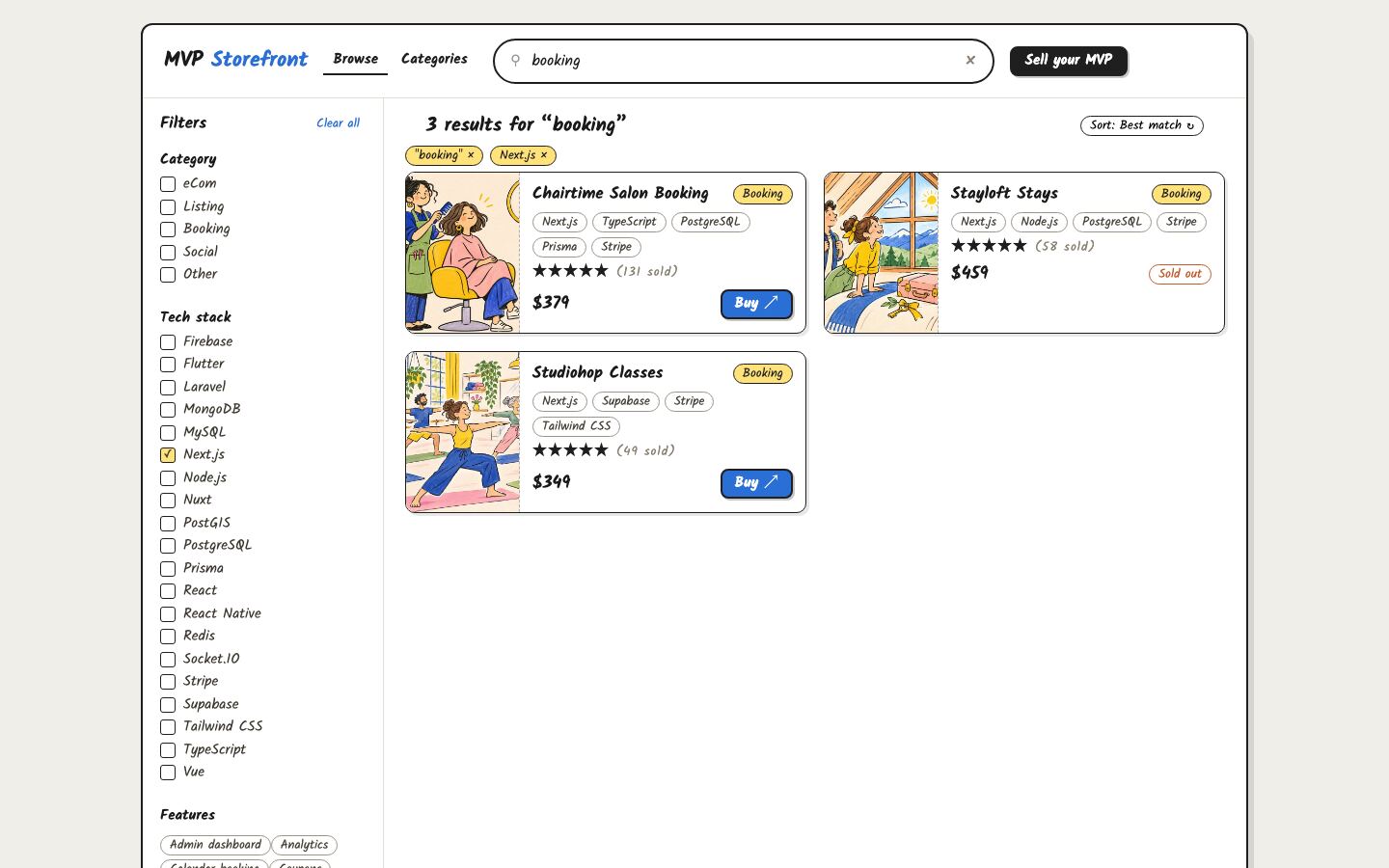
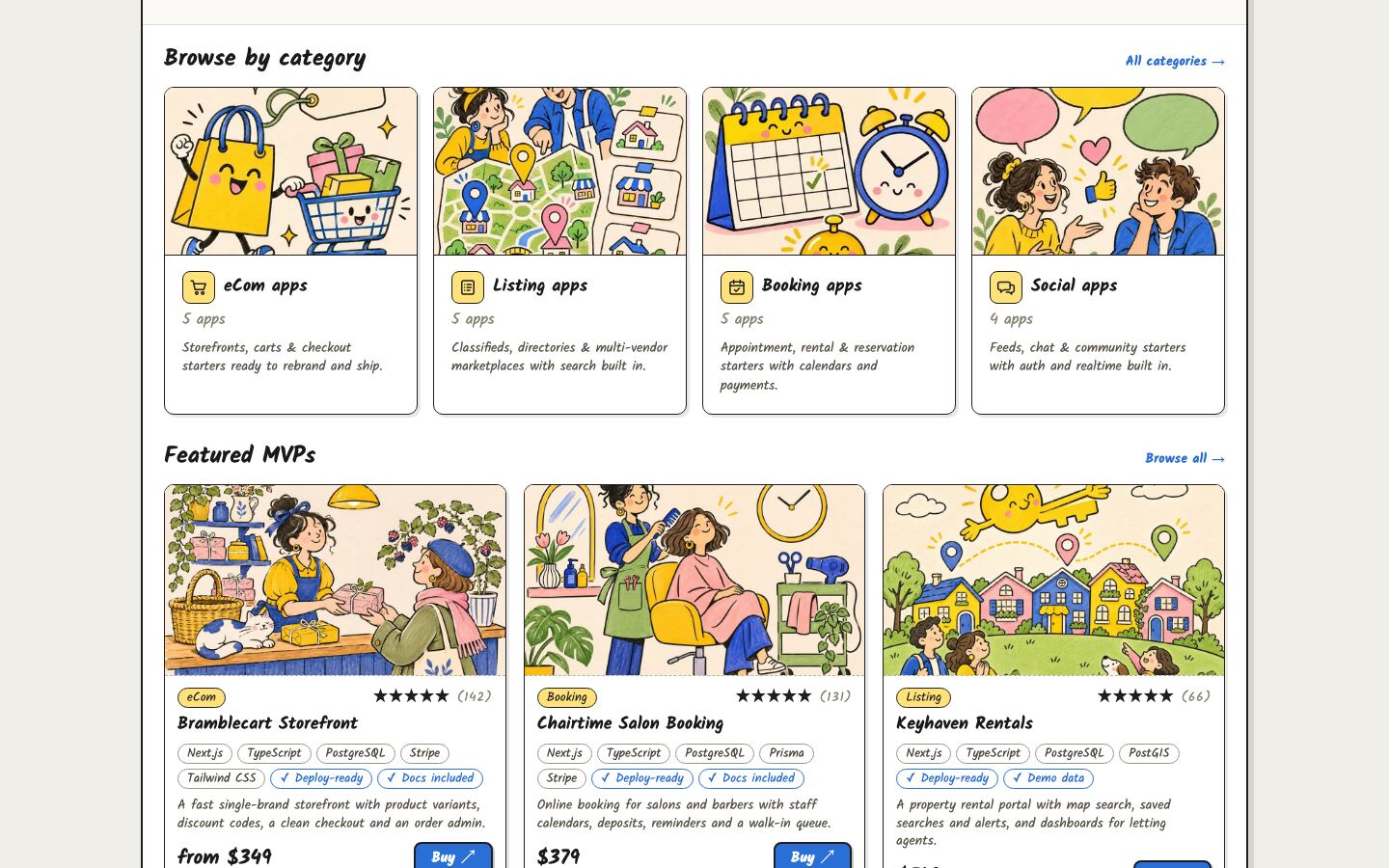
- Discovery pages: a home page with category tiles and featured listings, a browse page with category tabs, tech stack and feature filters and four sort orders, search with a filter sidebar and a price slider, and category pages with sub-category chips.
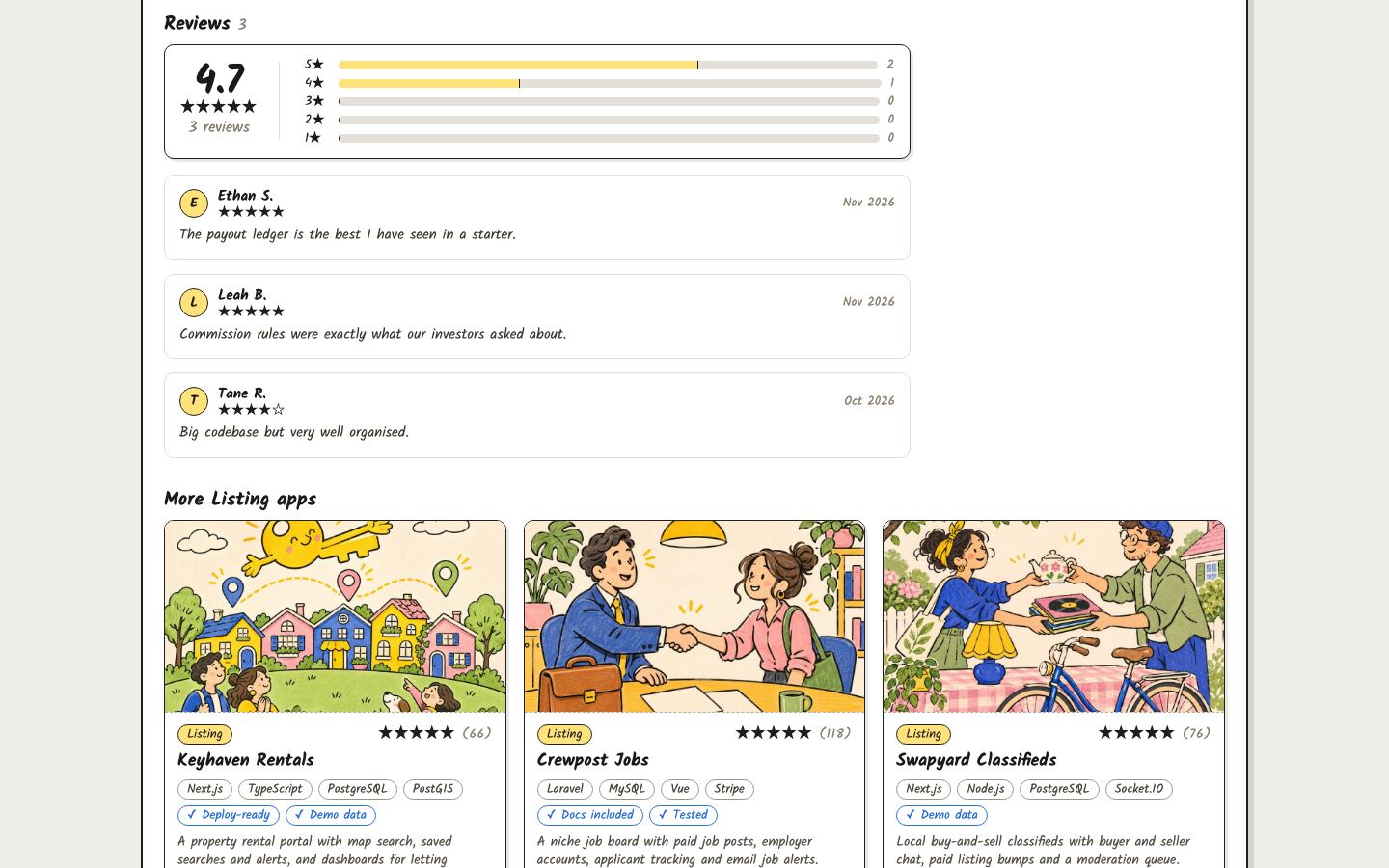
- Listing pages with a cover and gallery, Markdown details, "What's included", reviews with a rating summary, "from" prices, limited-edition and sold-out states, and Buy and Live demo buttons that link to your marketplace with referral tags.
- SEO: per-page titles, descriptions and canonical URLs, Organization, WebSite, ItemList, BreadcrumbList and Product structured data, a sitemap generated from the catalog,
robots.txtrules for search and AI crawlers, noindexed search results and a generated social card. - A demo catalog of 20 fictional app listings, so it runs with no API, database or account.
- A hand-drawn theme in one stylesheet with colour variables at the top, a Dockerfile and a health check route.
What you need: a catalog API in the shape the storefront expects. That's a paged list endpoint (GET /api/mvps) and a detail endpoint (POST /api/mvps/mvp-details) that looks a listing up by its slug, as documented in the download. If your marketplace uses different paths or field names, you change one mapping file instead. The built-in categories (eCom, Listing, Booking, Social) suit a catalog of apps and templates; you can rename them in code. It doesn't take payments or have sign-in of its own: buyers check out on your marketplace.
| Stack | Next.js 16, React 19, JavaScript, plain CSS |
| Live demo | mvp.sale (a live directory on this storefront design; its cards open each app on its marketplace page instead of showing listing pages) |
| Price | $39, one-time, with the full source code |
| Get it | MVP ForSale Promo Storefront |
Your First 30 Days
| Week | Do this |
|---|---|
| 1 | Pick the microsite's angle and domain. Write down the five searches it should win that your main site doesn't. |
| 2 | Expose the catalog API, connect the storefront, rebrand it and choose how listing pages will avoid duplicate content. |
| 3 | Write unique intros for every category page and publish your first two curated lists. Submit the sitemap. |
| 4 | Check indexing, buy clicks and referral-tagged sales. Add one new curated list or guide per week. |
FAQ
Will a microsite hurt my main marketplace's SEO? Not if it has its own angle and doesn't copy listing pages word for word. Copies are the problem, not the second domain.
Do I need my own catalog API? Yes. The microsite is a front end for an existing catalog. Your API needs a paged list endpoint and a detail endpoint, or you adapt the storefront's mapping code to the API you already have.
Can it sell things other than apps? The pages are built around apps and templates: tech stacks, features, demos. You can adapt the fields and categories for another digital catalog, but expect to change copy and filters.
Does the microsite take payments? No. It hands buyers to your marketplace, which handles checkout, delivery and licensing.
Start Small, Measure, Then Grow
A good microsite is a focused shop window: one audience, one angle and honest data from your real catalog. Launch it with a handful of unique collection pages, tag every outbound link, and let the numbers decide how far to take it.
See MVP ForSale or browse all listings and marketplace apps on MVPHub.
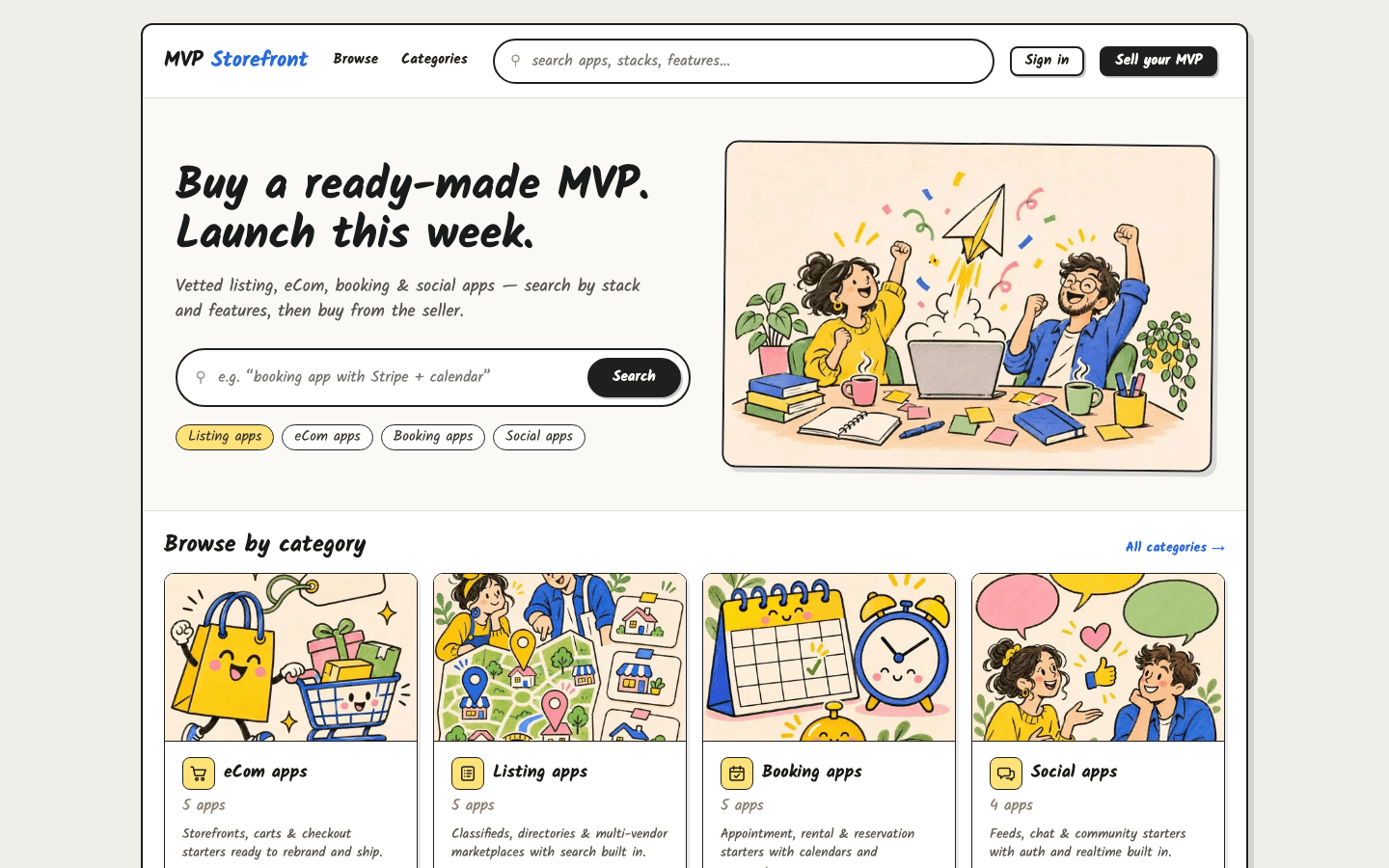
The cover image was created with AI image generation. The screenshots are from the MVP ForSale demo catalog included in the download.