How to Start a Local Business Directory Website for Trades
How to Start a Local Business Directory Website for Trades
When a pipe bursts or the fuse box starts smoking, people don't want ten pages of search results. They want three plumbers or electricians nearby who are verified, well reviewed and answer the phone. A good local business directory website gives them exactly that, and gives local trades a steady stream of enquiries in return.
This guide covers how to start a local business directory website for trades and services: picking a niche and an area, filling it with listings before anyone signs up, verifying businesses, handling reviews, making money and ranking each suburb and category page.
Why Local Directories Still Work
General search and map results list everyone, including businesses that closed last year. A focused directory wins on curation and trust:
- Checked listings. You can confirm a business exists, is licensed where that applies and still answers enquiries.
- Useful detail. Service areas, call-out times, opening hours, accessibility and the jobs a trade actually takes on.
- Honest reviews from real customers, with the business able to reply.
- One clear next step. "Request a quote" or "Book now" beats hunting for a phone number.
For the businesses, a directory is a source of local leads they don't have to run ads for. That's what they'll eventually pay you for.
How to Start a Local Business Directory Website: Pick a Niche and an Area
"Every business in the country" is not a launch plan. Start with one niche in one area that you can cover properly, then expand.
| Niche | Example area | Why it can work |
|---|---|---|
| Home trades (plumbers, electricians, builders) | One city and its suburbs | Urgent, high-value jobs where trust matters |
| Cleaners and home help | A few neighbouring suburbs | Repeat customers and many small providers |
| Wedding and event suppliers | A region | Buyers compare many options and read reviews closely |
| Trade suppliers and equipment hire | An industrial area | Business buyers who need a quote, fast |
| Freelance professionals (bookkeepers, designers) | A city, or remote | Hard to find by search alone |
Choose an area where you can name at least 50 to 100 real businesses in your niche. Fewer than that and the directory looks empty. Far more and you can't check them all at launch.
Seed Your First Listings Before Launch
Nobody searches an empty directory, and no business pays to be listed in one. So the first listings are on you.
- Build a list from public sources: business websites, trade association member lists, local business groups and the businesses you see on the street. Stick to business details (name, trade, area, website, business phone) and leave personal details out.
- Create basic, unclaimed listings for each one. Keep them accurate and short, and mark them clearly as not yet claimed by the owner.
- Invite the owners to claim. Email or call: "Your business is listed on our directory of local electricians. Claim it for free to add photos, opening hours and respond to enquiries."
- Fill five great listings yourself, with the owner's help: photos, services, service area, FAQs. These set the standard everyone else copies.
- Remove listings on request, fast. A business that asks to be taken down should be gone the same day.
Data rules differ by country, so check the rules where you operate before you list businesses that haven't signed up themselves.
Claimed Listings and Verification
A claimed listing is one the business owner controls. A verified listing is one you've checked. Keep the two separate, and show the difference to visitors.
| Level | What it means | How to check |
|---|---|---|
| Unclaimed | You created it from public information | Basic accuracy check |
| Claimed | The owner has taken control of it | Email at the business's own domain, or a call to the listed business number |
| Verified | You've checked the business is real and active | Business registration, licence or insurance documents where they apply |
Show a "Verified" badge only for the last level, and say on an "About our checks" page exactly what it means. A badge that means nothing is worse than no badge. Re-check verified businesses once a year.
Expect some false claims, such as a competitor or a former employee claiming a listing. Every claim should go into a review queue, not straight live.
Reviews People Will Believe
Reviews are the reason many visitors come back, and the fastest way to lose them if they look fake.
- Ask for reviews after real jobs. Give businesses a link to send to customers once the work is done.
- Let businesses reply publicly. A calm reply to a bad review often builds more trust than five perfect ones.
- Moderate, don't curate. Remove abuse, spam and reviews that aren't about a real job. Don't remove honest negative reviews because a business pays you.
- Let anyone flag a review, and review flags quickly.
- Never sell reviews or ratings. Paid placement and reviews must stay separate.
Our guide to building trust in a marketplace goes deeper into verification and disputes.
How a Local Directory Makes Money
Free basic listings get you supply. Paid extras get you revenue. Common options:
| Revenue model | What the business gets | Notes |
|---|---|---|
| Featured listings | Higher placement and a badge in their category | Easiest first product to sell |
| Monthly plans | Tiers with more photos, analytics and priority in search | Predictable recurring income |
| Spotlights | A slot on the home page or a category page for a week or month | Good for seasonal trades |
| Lead fees | A fee per quote request or booking | Needs tracking and clear rules |
| Local sponsorship | Suppliers or associations sponsor a section | Works once you have traffic |
Start charging when businesses tell you they're getting enquiries from the directory. Show them the numbers (views, clicks, enquiries) and the upgrade sells itself. To compare models in depth, see Commission Models for Marketplaces.
Local SEO: One Strong Page per Trade per Area
A local directory gets most of its search traffic from pages like "electricians in [suburb]" and "emergency plumbers in [city]". That means three page types:
- Category pages for each trade.
- Location pages for each area you cover.
- Category-in-location pages ("cleaners in [suburb]"), which match the way people actually search.
Only publish a page when it has real listings and something useful to say: a short local intro, the businesses, a few FAQs. Thin pages with one listing and boilerplate text do more harm than good. Each listing page should carry LocalBusiness structured data with its address, service area and rating, and breadcrumbs that link it back to its trade and area.
We covered category-page SEO in detail in Marketplace SEO Strategy: How to Rank Your Category Pages. Apply the same rules to every area page.
Launch Faster With Traders Marketplace
Traders Marketplace is a full-stack directory and listings platform built for exactly this kind of business: local traders, service providers and businesses, with separate journeys for visitors, sellers and admins.
What's inside the download:
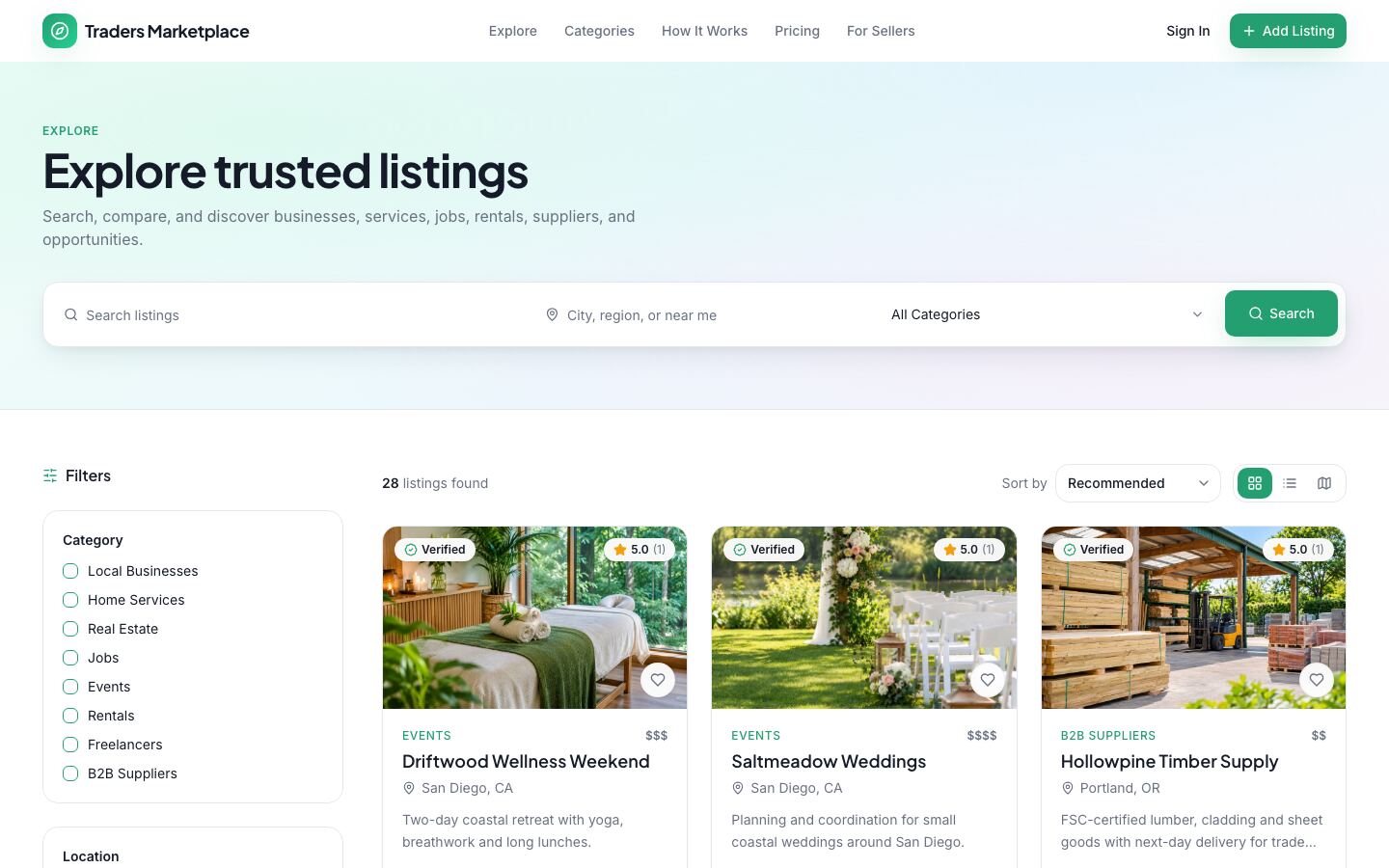
- Search and discovery: keyword, location, category, rating, price, "verified only" and "accepts bookings" filters, with grid, list and map views.
- Listing pages with a photo gallery, features, opening hours, a location map, reviews with seller replies, FAQs and related listings, plus contact, quote and booking requests, claim and report buttons.
- SEO pages: category, location and "category in location" landing pages, structured data and a sitemap.
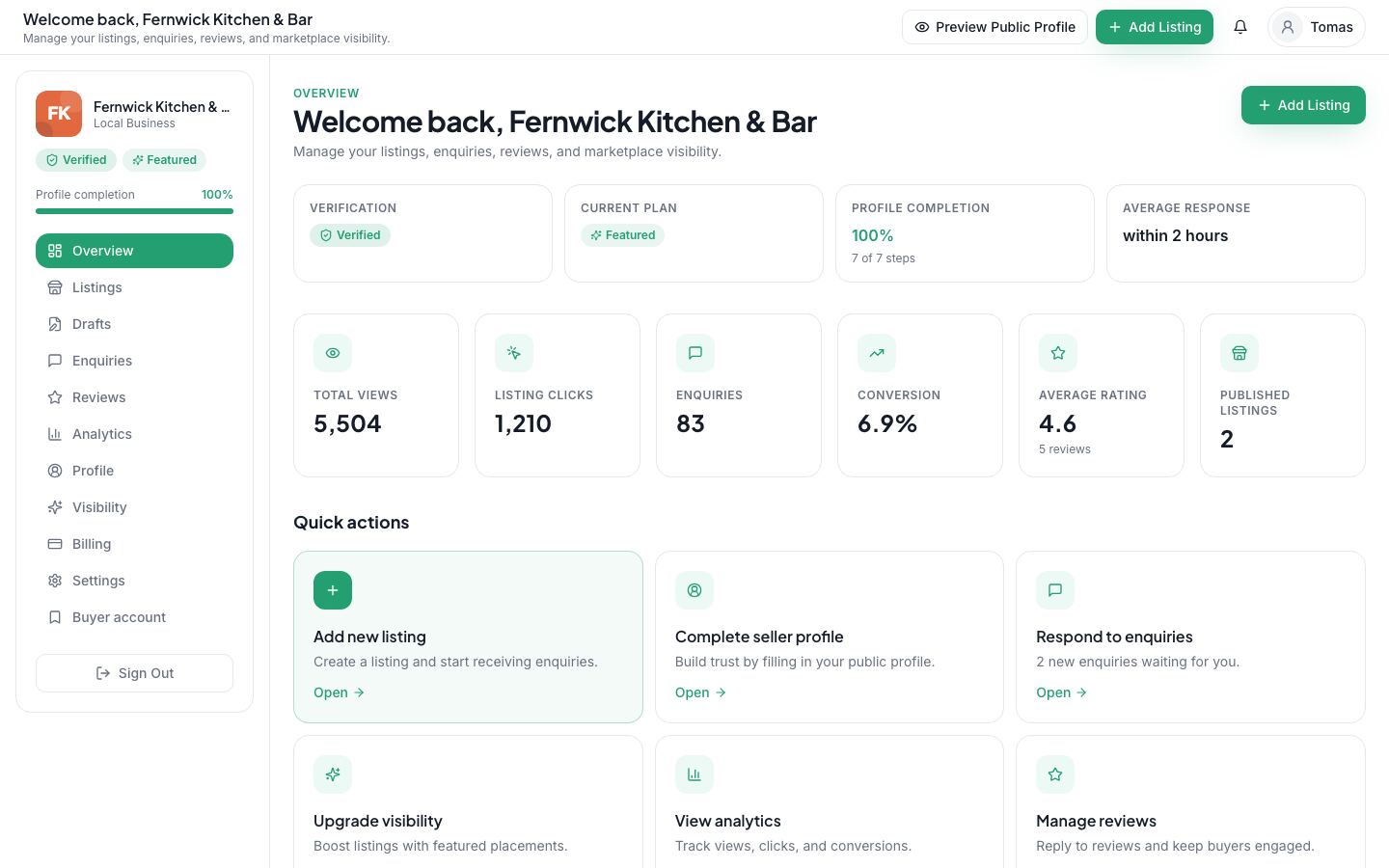
- Seller dashboard: guided onboarding, a step-by-step listing wizard, an enquiry inbox with notes and replies, review replies, analytics and visibility plans.
- Admin area: a moderation queue for pending listings, flagged reviews, seller verification and listing claims, plus categories, custom fields, plans, search analytics and an audit log.
- Monetisation: Free, Featured and Premium monthly plans and one-off promotions (featured boost, home page or category spotlight) through Stripe hosted checkout, once you add your own Stripe keys. You set the prices in the admin area.
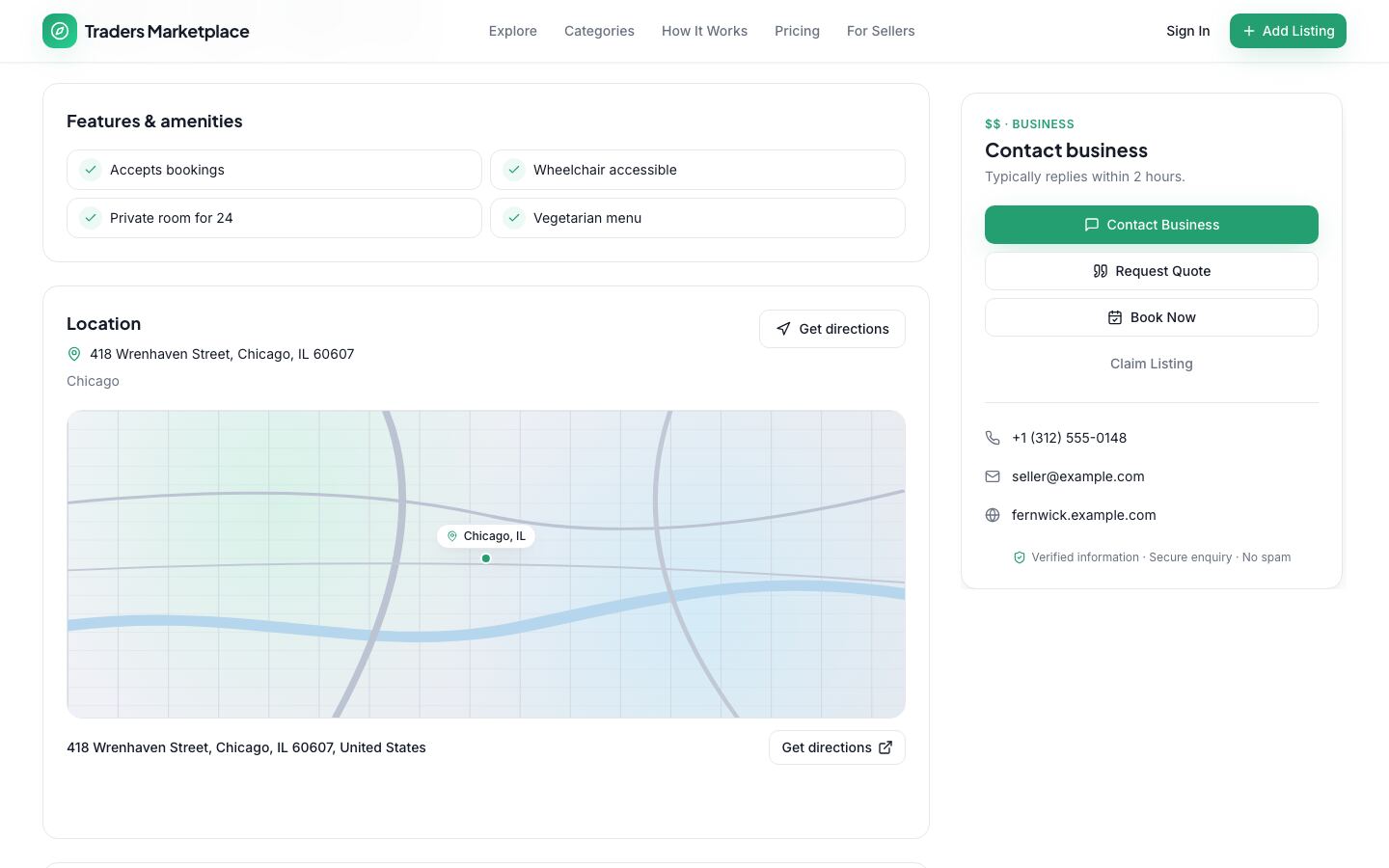
It runs straight away on a built-in demo database with fictional sellers, listings, reviews and buyer, seller and admin accounts, so you can test every journey before connecting your own Postgres database. The eight starter categories (local businesses, home services, real estate, jobs, events, rentals, freelancers and B2B suppliers) are editable in the admin area, so you can narrow it to one trade. Maps, photo storage and email are optional and switch on when you add your own accounts.
| Stack | Next.js 16, React 19, TypeScript, Prisma with PostgreSQL, Tailwind CSS |
| Live demo | listing-marketplace.mvp.sale (one-click buyer, seller and admin demo sign-ins on the sign-in page) |
| Price | $39, one-time, with the full source code |
| Get it | Traders Marketplace: Directory and Listings Platform |
Your First 30 Days
| Week | Do this |
|---|---|
| 1 | Pick one trade and one area. List 50 to 100 real businesses from public sources. |
| 2 | Rebrand the directory, set your categories and areas, create the unclaimed listings and write your "About our checks" page. |
| 3 | Call or email every business with a free claim offer. Help five of them build standout listings. |
| 4 | Ask the first customers for reviews, publish your best category-in-area pages and offer a featured slot to the businesses getting enquiries. |
FAQ
Can I list businesses without their permission? Many directories start with public business details and let owners claim or remove them. Rules differ by country, so check the rules where you operate, and always remove a listing when asked.
Should listings be free? Basic listings, yes. Charge for visibility and extras once businesses see enquiries coming in.
How many areas should I cover at launch? One. Cover one area properly, then copy the playbook to the next suburb or city.
Start Your Directory
A local business directory is a simple promise: the right trade, nearby, checked and reviewed. Start small, verify carefully and grow one area at a time.
See Traders Marketplace or browse all listings and marketplace apps on MVPHub.
The cover image was created with AI image generation. The screenshots are from the Traders Marketplace demo data included in the download.